Was sind die Systemanforderungen für Potions In Motion auf dem PC?

Komponente Minimum: Empfohlen:
Prozessor Dual-core from Intel or AMD at 2.0 GHz Dual-core from Intel or AMD at 2.0 GHz
Arbeitsspeicher 2 GB RAM 2 GB RAM
Grafik Videocard with at least 512MB Videocard with at least 512MB
Speicherplatz 100 MB available space 100 MB available space

Was sind die Systemanforderungen für Potions In Motion auf dem PC?

Um Potions In Motion auf deinem PC zu spielen, benötigst du mindestens einen Dual-core from Intel / AMD at 2.0 GHz-Prozessor und eine Videocard with at least 512MB-Grafikkarte. Für das beste Erlebnis werden ein Dual-core from Intel / AMD at 2.0 GHz-Prozessor und eine Videocard with at least 512MB-GPU empfohlen. Das Spiel benötigt außerdem mindestens 2 GB RAM RAM, 100 MB available space Speicherplatz, — als Betriebssystem und DirectX —. Überprüfe die vollständige Spezifikationstabelle oben und vergleiche sie mit deiner Hardware, um sicherzustellen, dass Potions In Motion reibungslos auf deinem System läuft.
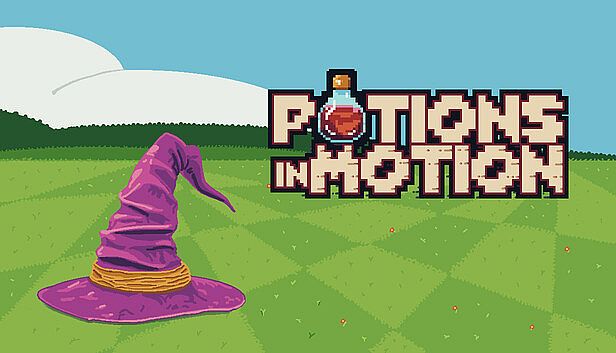
Kaufe Potions In Motion ab 1,99 €
Angebote ansehen
Welche GPU brauche ich für Potions In Motion?
Die minimale GPU für Potions In Motion ist Videocard with at least 512MB. Für optimale Leistung wird eine Videocard with at least 512MB oder besser empfohlen.
Wie viel RAM braucht Potions In Motion?
Potions In Motion benötigt mindestens 2 GB RAM RAM. Empfohlen werden 2 GB RAM für das beste Erlebnis.
Wie viel Speicherplatz braucht Potions In Motion?
Du benötigst mindestens 100 MB available space freien Speicherplatz, um Potions In Motion zu installieren.
Kann ich Potions In Motion auf Mac oder Linux spielen?
Die auf dieser Seite aufgeführten Systemanforderungen gelten für die PC-Version (Windows) von Potions In Motion. Prüfe die offizielle Store-Seite für Mac- oder Linux-Kompatibilität.
Welchen Prozessor brauche ich für Potions In Motion?
Der minimale Prozessor für Potions In Motion ist Dual-core from Intel / AMD at 2.0 GHz. Für bessere Leistung wird ein Dual-core from Intel / AMD at 2.0 GHz-Prozessor empfohlen.
Tritt unserem Discord bei
Erhalte Hilfe von der Community und bleibe über Angebote informiert
Preisalarme einrichten
Erhalte E-Mail-Benachrichtigungen wenn Preise fallen
Kostenloses Konto erstellen
Schalte Wunschlisten, Preisalarme und Steam-Sync frei
