


IMPORTANT INFORMATION ABOUT THIS LICENSE AND VERSION
This DLC is exclusively for Shapelab 2024 owners. By purchasing this upgrade, you can enhance your Shapelab experience with the latest features of Shapelab 2025 and receive complimentary updates on Steam until the end of 2025. To use Shapelab 2025, you must have Shapelab 2024 installed. Ensure both the Shapelab 2024 base app and the Shapelab 2025 upgrade DLC are installed together.
As a Shapelab 2024 owner you get a significant discount when upgrading to Shapelab 2025. Please note that the DLC is only for users who already own Shapelab 2024 on Steam, that is why the price is universal and already at the discounted amount. From May 1, 2025, the discounted price is 40% off.
(If you are not yet a Shapelab owner, please choose the package called "Shapelab," which includes both the Shapelab 2024 base app and the new Shapelab 2025 upgrade DLC. Ensure you download and install both the Shapelab 2024 base app and the Shapelab 2025 DLC together, and avoid using Shapelab 2024 on its own.)
What's new in Shapelab 2025?
First Iteration of Voxel Engine & Tools – Check out the first work-in-progress version of Shapelab’s voxel features, designed to enhance modeling versatility—suitable for sketching, blockouts, and early-stage ideation workflows!
Sculpt Cursor Repositioning – Adjust your sculpting cursor with ease for a more natural feel.
Quick Switch – Instantly select any object/layer and jump into Edit Mode in one seamless action—combining scene navigation, object selection, and editing without breaking flow.
Cavity Masking – A new surface curvature-aware masking so you can target cavities or bumps selectively.
Brush Falloff Curves – Choose from multiple falloff curves to fine-tune your brush stroke behavior.
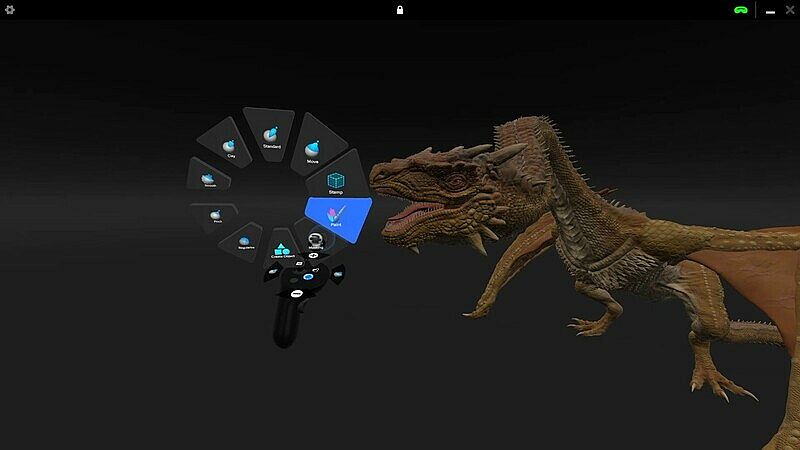
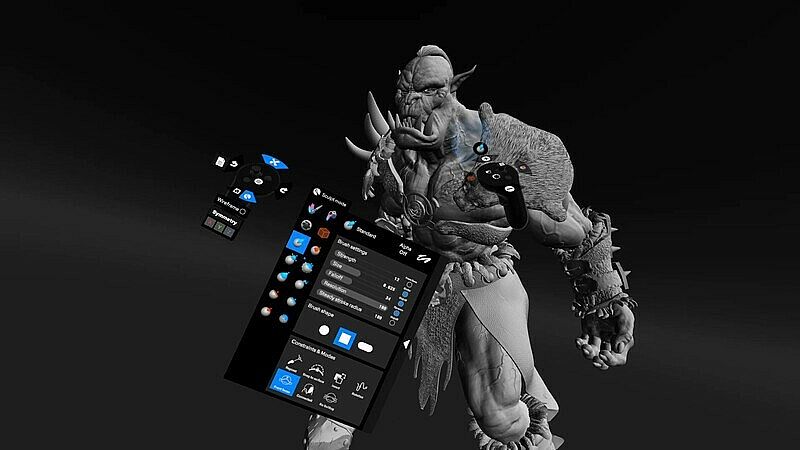
Enhancements to Quick Access Pie Menu – Customize your Quick Access menu with more of your favorite tools and actions.
Customizable Environments
Experiment with different lighting and atmospheric settings.
Import HDRIs or customize your Skybox, Ambient Light, and Reflections.
Save and load your unique environments for future use.
Redefined Parametric Primitives
Fully enhanced shapes with new UI, presets, and parameters like bevel, chamfer, taper, and hole.
Gesture-based primitive reshaping for effortless modeling.
Custom Fixed Shapes & Kitbashing
Build your own shape library with imported objects or predesigned templates.
Cursor Snapping by Angle & Grid
Improved organization with angle and grid snapping constraints for tools and object movements.
Dynamic Brush Sizing
Keep brush sizes consistent relative to models or adjust dynamically with zoom levels.
Enhanced Navigation Settings & Scene Alignment Tools
Effortlessly align, zoom, and organize your workspace for a smoother workflow.
Improvements & Fixes
Enhanced UI, better performance, and numerous bug fixes for an optimized sculpting experience.
What’s More coming for Shapelab 2025 this year?
Voxel-Based Tools for superior 3D stamping and clay drawing.
Complete Gizmo Overhaul for rotation, location, and scaling.
Additional Scene Mode Improvements for seamless object selection and context-based tools.
Sculpt Brush Enhancements for better precision and symmetry.
What is Shapelab?
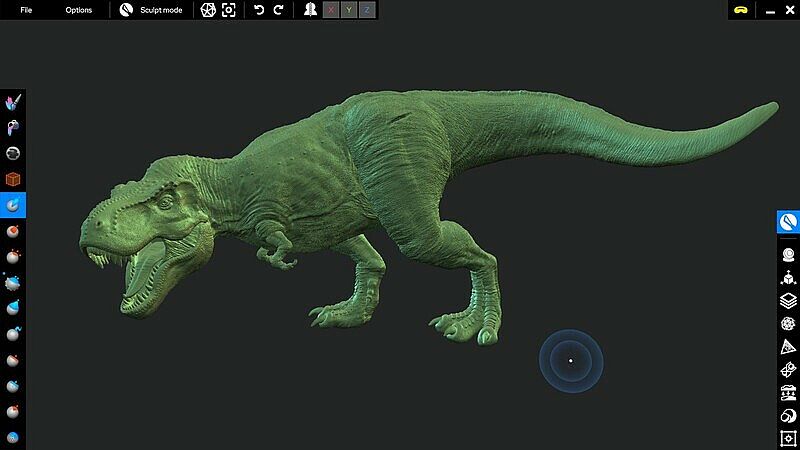
Shapelab is a highly efficient 3D sculpting application primarily optimized for virtual reality that also supports desktop-based work with digital pens, allowing users to switch between the two modes on the fly. It offers a variety of industry-grade tools to create highly detailed 3D assets and optimized low-poly models. Visualize your creative ideas and print them in 3D or sculpt high-quality props, characters, and concepts for applications, games, and virtual worlds, as well as digital concept art and storyboards.
Shapelab leverages VR technology to offer an immersive and intuitive sculpting experience, enabling you to work seamlessly in 3D space with unparalleled control and creative freedom. You can easily navigate in 3D, interact with your designs as if they were right in front of you. With your VR controllers, you can move, scale, adjust focus, and create 3D brushstrokes naturally, easily shaping complex designs with simple hand movements. This level of immersion is impossible to achieve in traditional desktop software and can boost productivity, allowing you to work faster, more efficiently, and often with greater precision.
At its core, Shapelab uses a robust polygon mesh-based design engine, ideal for professional-grade modeling workflows and high-detail sculpting.
With the 2025 Spring Update, Shapelab became even more versatile by introducing a voxel engine as a secondary design system. This hybrid approach lets users quickly block out ideas with voxel sculpting, while still relying on the precision and export-ready features of polygon-based modeling for final production.
Please note that although you can register a Shapelab account after downloading Shapelab, an account is not needed to access the application. To create an account, you only need to provide an email address and a password. Tick the 'Remember me' checkbox to stay logged in. You can provide additional information and manage your email preferences in your account settings.
Core features in Shapelab 2025
Dual Engine Modeling
Combine the power of polygon sculpting with the speed of voxel-based sketching. Shapelab’s hybrid engine lets you block out ideas in voxels, then refine them with production-ready polygon tools—all in one workflow.
Dual VR and Desktop Modes
Run Shapelab on your PC in desktop mode or use a VR headset tethered to your PC for an immersive VR experience. Switch seamlessly between modes while working on your projects.
Digital Pen and Tablet Support
Leverage the power of your digital pen and tablet with tilt, twist, and pressure sensitivity. Compatible with both Wintab and Windows Ink for precision sculpting.
Advanced Sculpting Tools
Access industry-standard sculpting tools with extensive configuration options. Brushes include Clay, Standard, Mask, Crease, Smooth, Pinch, Inflate, Snakehook, Flatten, Trim, Regularize, and 3D Stamp.
Dynamic Topology Sculpting (Optional)
Enable real-time tessellation to dynamically adjust mesh detail based on your needs. Alternatively, lock your brush resolution to a specific value by sampling directly from your model for precise sculpting control.
Customizable Work Environments
Personalize your workspace:
Import custom HDRI skyboxes or use solid colors and gradients.
Configure ambient lighting, reflections, and directional light settings.
Toggle the workspace floor on or off as needed.
Kitbashing with Custom Shapes and Primitives
Build efficiently using a built-in library of fixed shapes and parametric primitives.
Or use your custom models added to your shape library for quick scene population.
Precision Tools: Snapping and Constraints
Grid and angle snapping for organized creations and constraints for more precise alignments.
Tools for you to quickly align and reset the scene to cycle through perspectives.
Multiresolution and Subdivision Levels
Subdivide your mesh to create multiple levels of detail. Easily switch between them to optimize your workflow.
PBR Vertex Painting and Texture Export
Paint Color, Roughness, Metalness, and Emission properties directly onto your models.
Export texture maps, including normals, PBR properties, and vertex colors, during the export process.
Remeshing and Mesh Transformations
Voxel remesh, subdivide, decimate, and regularize meshes.
Perform operations like mirroring, welding, flipping, and filling holes.
Merge vertices and quad remesh for cleaner topology.
Detail Transfer (Projection): Transfer intricate details from high-resolution, unorganized meshes to cleaner, quad-based models.
Scene Management
Object hierarchy organization through parenting.
Clone, mirror, merge, subtract, intersect, and join objects.
Multiselect and group objects for batch operations.
Gizmo and freehand transformations for objects and scenes.
Materials and Shading
Use PBR materials, MatCaps, and procedural textures.
Import custom MatCaps or utilize built-in ones.
Flat shading support for stylistic effects.
File Support and Import/Export
Easily import and export models in FBX, OBJ, STL, and GLB formats.