Cyberlink Screen Recorder 4 - Record your games, RPG, car game, shooting gameplay - Game Recording and Streaming Software PC Key kaufen

Wo kaufst du Cyberlink Screen Recorder 4 - Record your games, RPG, car game, shooting gameplay - Game Recording and Streaming Software? Derzeit ist das Spiel in keinem der von uns erfassten Shops im Verkauf. Das muss nicht so bleiben, denn Shops nehmen Titel laufend auf und wieder heraus, und wir prüfen sie täglich. Richte einen Preisalarm ein, dann melden wir uns, sobald ein Shop ein Angebot einstellt.

Veröffentlichung: 27 Nov. 2018
Steam:
Mixed (26)
Official
Nicht verfügbar
Keyshops
Nicht verfügbar
Im offiziellen Store kaufen:
Nicht verfügbar
Im Keyshop kaufen:
Nicht verfügbar

Noch keine Angebote. Wir informieren dich, sobald neue Preise verfügbar sind.

Create Alert Create deal Alert

Über Cyberlink Screen Recorder 4 - Record your games, RPG, car game, shooting gameplay - Game Recording and Streaming Software

Cyberlink Screen Recorder 4 - Record your games, RPG, car game, shooting gameplay - Game Recording and Streaming Software - Spielbeschreibung
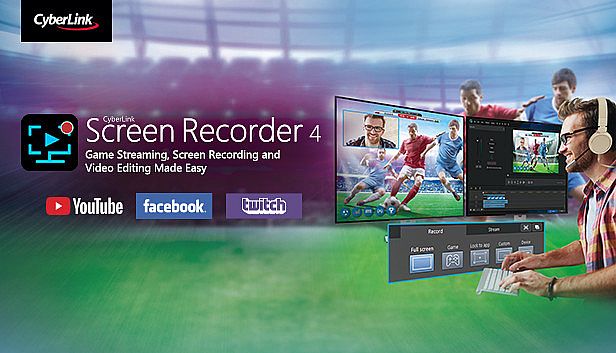
Mit Cyberlink Screen Recorder 4 zeichnest du dein PC-Gameplay von RPGs über Rennspiele bis hin zu Shootern auf. Streame live zu Twitch, YouTube, Facebook oder eigenen Servern und multistreamst gleichzeitig auf bis zu fünf Plattformen. Überlagere Webcam-Bilder und Mikrofon-Audio, nutze Chroma Key für Hintergrundwechsel und füge Branding-Elemente hinzu. Nimm Vollbildschirme, einzelne Fenster oder app-spezifische Aufnahmen auf - auch im Exklusivmodus oder direkt von Gaming-Konsolen. Vorschau Webcam und Mikrofon in Echtzeit, richte individuelle Hotkeys für Start, Pause und Screenshots ein, schneide Clips mit einfachen Tools für Titel, Übergänge und Dual-Audio-Tracks. Gamer, Vlogger und Tutorial-Macher profitieren von minimaler CPU/GPU-Last für flüssige Sessions.

Livestreaming Online
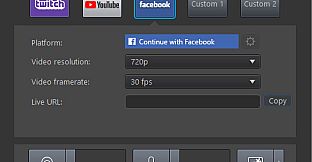
Start creating content that engages with your followers on Twitch, YouTube or Facebook.
Integrate webcam commentary into livestreams with additional overlay objects.

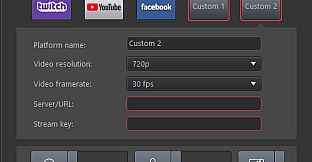
    Use a Custom Streaming Server
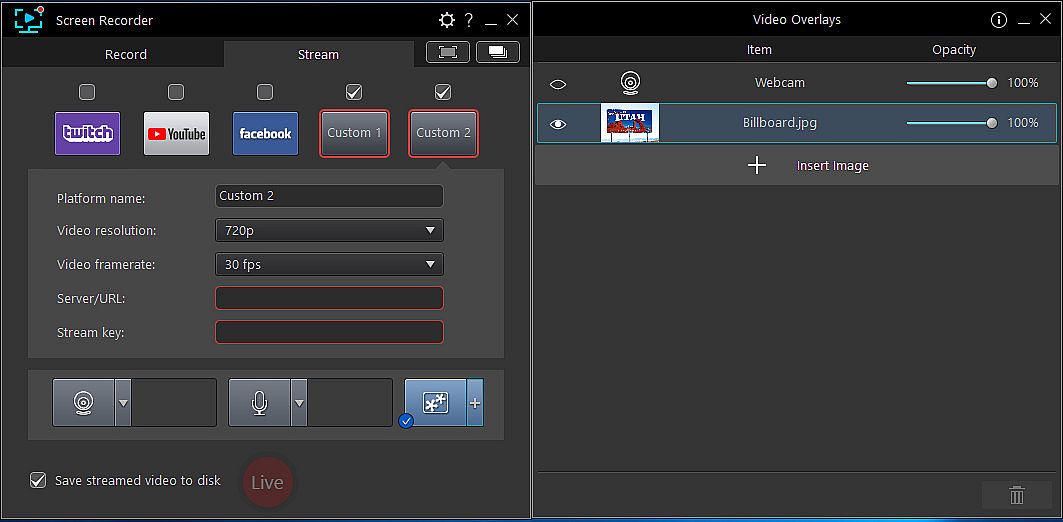
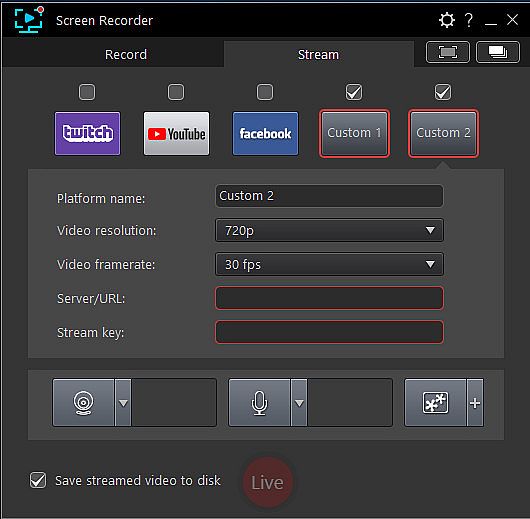
    Not only does Screen Recorder let you stream to your favorite platforms like Twitch, Facebook & YouTube Live, it also lets you use custom streaming servers to reach your audience.
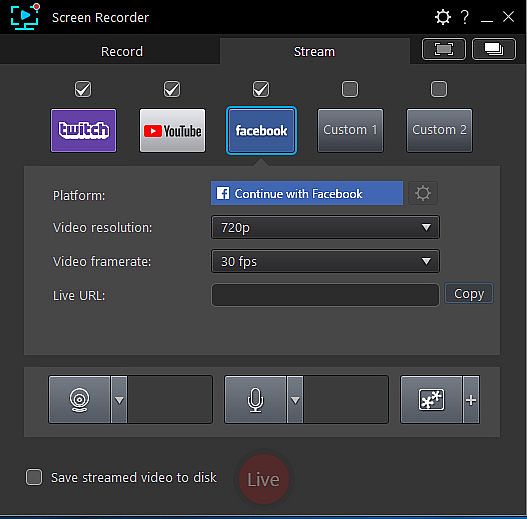
    Multistream to Twitch, YouTube, Facebook and Custom Servers
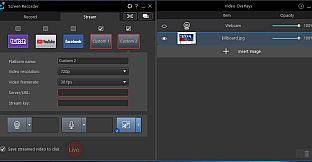
    Screen Recorder lets you multistream to up to five different services. This means you can simultaneously livestream to Twitch, YouTube, and Facebook, plus up-to two additional custom servers. It's an easy to reach a wider audience without the need for additional relay servers.
    Integrate Your Webcam into Livestreams
    Share more than just your gameplay. Share your gaming secrets, reactions and commentary with your viewers by integrating webcam & microphone audio and video on top of your in-game footage, even when you’re streaming from a gaming console. You can also use chroma key to apply a custom background.
    Reduced System Footprint
    We understand that CPU and GPU processing power is vital for smooth gameplay and streaming. While other screen capturing solutions consume far too much of the precious processing power that gamers require, we’ve taken every step possible to ensure Screen Recorder minimizes CPU & GPU load as much as possible for your gameplay.
Record & Edit with Ease
Record & edit content to provide your audience with videos that are detailed, high-quality, and informative.
    Record with Chroma Key
    Get creative when adding webcam footage to your screen recordings. Remove the background from your webcam footage thanks to a powerful chroma key engine, and replace it with your own cool, creative background image.
    Add Overlay Objects to Recordings
    Overlay objects to your desktop and webcam recordings. It's an easy way to brand your videos, promote a sponsor, or add a unique watermark to your recordings.
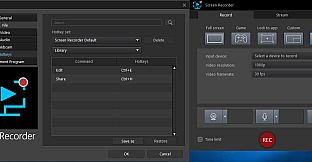
    Customizable Hotkey Support
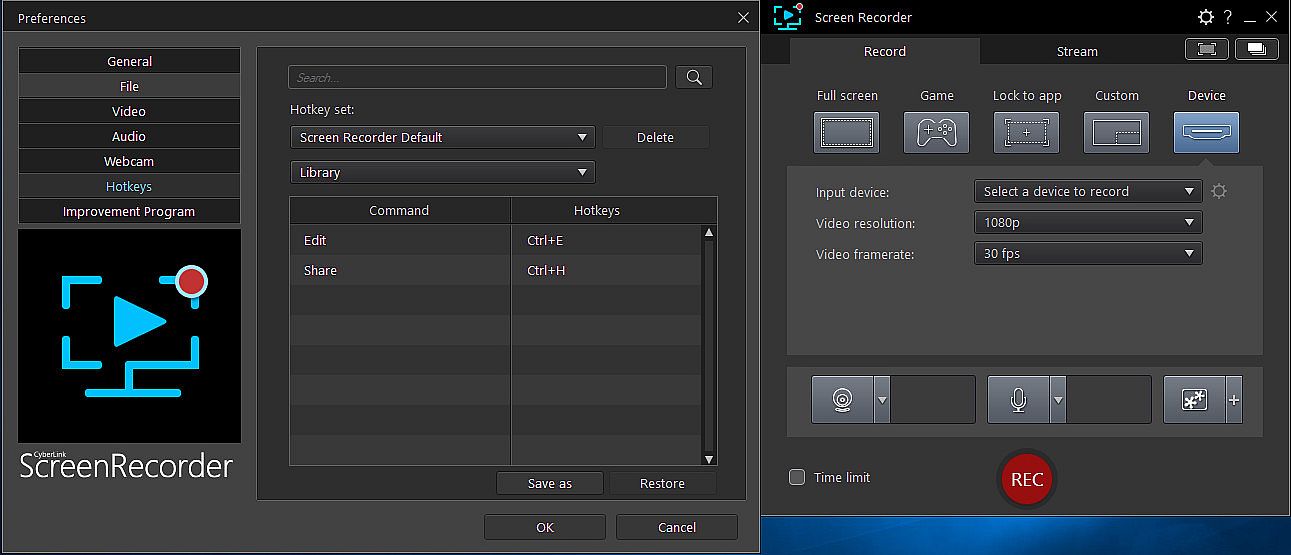
    Get recordings started quicker, mute and unmute instantly, pause without having to touch your mouse, and quicklt take screenshots by setting customized hotkeys for recording and streaming.
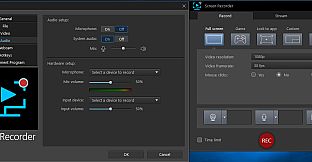
    Real-time Webcam & Mic Preview
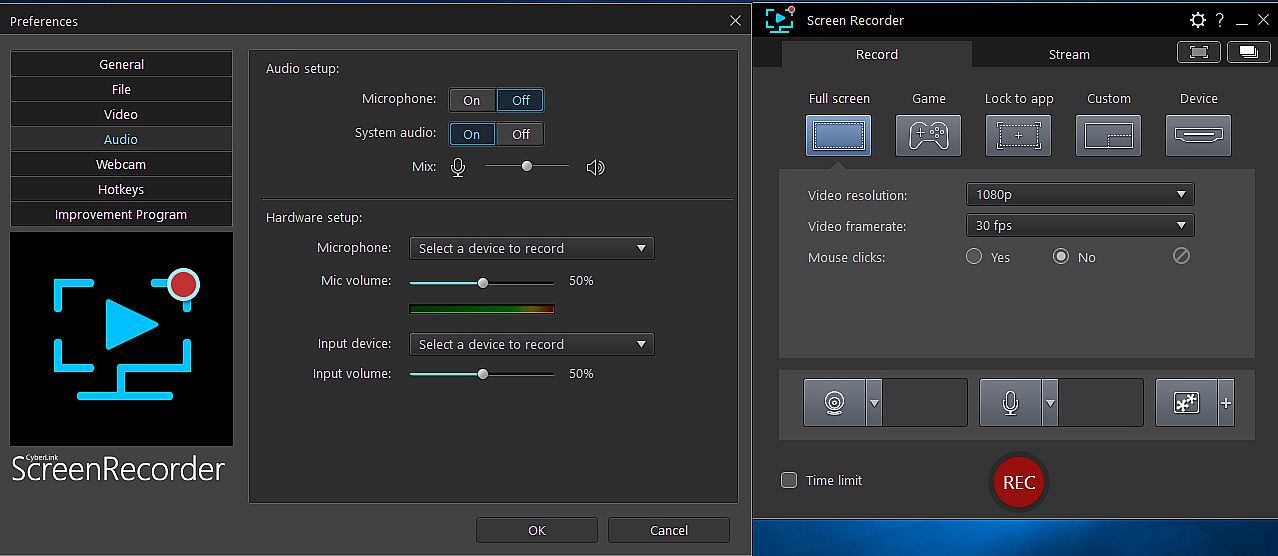
    Setup recordings faster with real-time webcam & mic previews. See exactly what you'll look like before you hit record using the preview window, and quickly adjust resolution and settings. The microphone preview allows you to quickly adjust volume and preview audio levels.
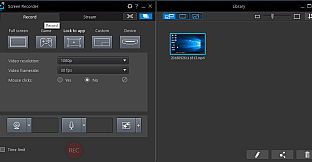
    Record from PC or Connected Device
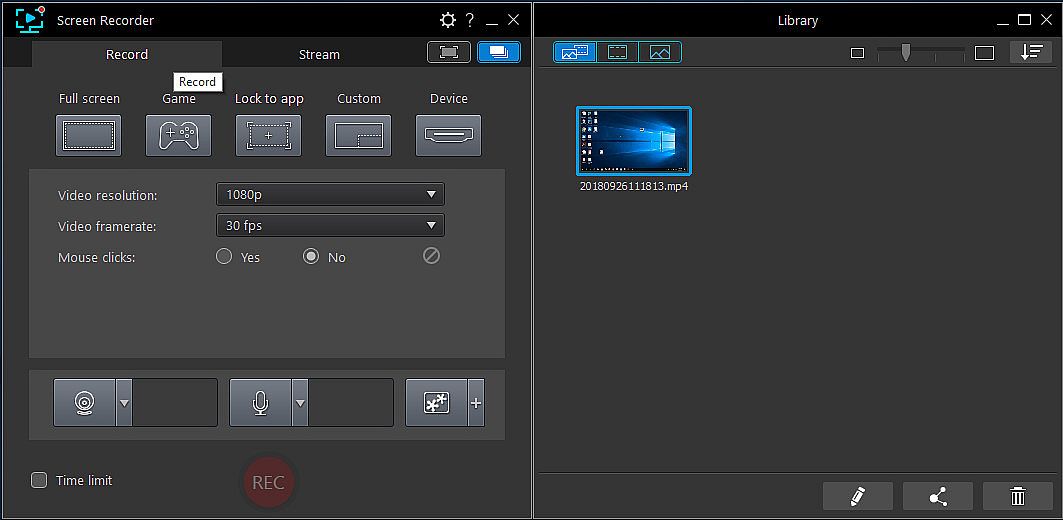
    Whether you’re a vlogger, gamer, or how-to expert, Screen Recorder will have you producing high-quality, detailed videos in next to no time. Record your whole screen, just a window, or lock to a specific app. For gamers, you can record gameplay from your PC even in exclusive mode, and also capture directly from your gaming console!
    Easy-to-use Editing Tools
    Don’t spend hours figuring out how to edit your footage. Screen Recorder comes with a remarkably simple editing interface that allows you to quickly import and trim your footage, add titles and transitions, and also now add two unique audio tracks.
Oberfläche:
GermanEnglishSpanish - SpainFrenchItalianJapaneseKoreanDutchSimplified ChineseTraditional Chinese
Audio:
GermanEnglishSpanish - SpainFrenchItalianJapaneseKoreanDutchSimplified ChineseTraditional Chinese

Altersfreigabe

Keine Angabe
Steam:
Mixed (26)

Minimum:

  • Prozessor: Intel Core™ i-series or AMD Phenom® II and above
  • Arbeitsspeicher: 2 GB RAM
  • Grafik: Desktop recording: 1GB VGA VRAM or higher
  • Speicherplatz: 600 MB available space
  • Zusätzliche Hinweise: Windows compatible sound card is required; Internet connection is required for initial software activation, video codec activation and social media services

Empfohlen:

  • Prozessor: Intel Core™ i-series or AMD Phenom® II and above
  • Arbeitsspeicher: 2 GB RAM
  • Grafik: Desktop recording: 1GB VGA VRAM or higher
  • Speicherplatz: 600 MB available space
  • Zusätzliche Hinweise: Windows compatible sound card is required; Internet connection is required for initial software activation, video codec activation and social media services
Historisches Tief
Preisverlauf von offiziellen Shops
29,99 €
Steam
vor 1 Monaten
Preisverlauf von Keyshops
-
-
-

FAQ

8 Fragen

Bevor du nach einem günstigen Cyberlink Screen Recorder 4 - Record your games, RPG, car game, shooting gameplay - Game Recording and Streaming Software PC Key suchst, prüfe die wichtigsten Fakten. Entwickelt von CyberLink. Veröffentlicht von Deep Silver. PC Release-Datum: 27 Nov. 2018. Genres: Utilities, Audio Production, Video Production, Design & Illustration.

Q

Wo kann ich einen günstigen Cyberlink Screen Recorder 4 - Record your games, RPG, car game, shooting gameplay - Game Recording and Streaming Software Steam Key oder CD Key kaufen?

Derzeit gibt es keine aktiven Angebote für Cyberlink Screen Recorder 4 - Record your games, RPG, car game, shooting gameplay - Game Recording and Streaming Software. Setze einen Preisalarm auf XD.deals und wir benachrichtigen dich, sobald ein Angebot verfügbar ist.

Wir haben derzeit keinen aktuellen Steam-Store-Preis für Cyberlink Screen Recorder 4 - Record your games, RPG, car game, shooting gameplay - Game Recording and Streaming Software. Das Spiel ist möglicherweise vorübergehend nicht verfügbar oder noch nicht bei Steam gelistet.

Unser Preistracker deckt sowohl offizielle Händler als auch Key-Marktplätze ab, sodass du Cyberlink Screen Recorder 4 - Record your games, RPG, car game, shooting gameplay - Game Recording and Streaming Software im Angebot auch außerhalb saisonaler Aktionen finden kannst. Wir erkennen derzeit 0 aktive Angebote von offiziellen Shops und Keyshops. Prüfe die Tabelle oben, vergleiche mit dem historischen Tief und setze einen Alarm, damit du den nächsten Preissturz nicht verpasst.

Laut unseren Daten ist Cyberlink Screen Recorder 4 - Record your games, RPG, car game, shooting gameplay - Game Recording and Streaming Software derzeit nicht auf GeForce NOW verfügbar. Du musst es lokal auf deinem PC ausführen. Stöbre durch Spiele, die auf GeForce NOW verfügbar sind.

Ja. Cyberlink Screen Recorder 4 - Record your games, RPG, car game, shooting gameplay - Game Recording and Streaming Software hat eine offizielle Steam-Shop-Seite, aber wir tracken derzeit keine Drittanbieter-Angebote mit Steam-DRM. Schau später nochmal vorbei oder setze einen Preisalarm.

Derzeit nicht. Valve kennzeichnet Cyberlink Screen Recorder 4 - Record your games, RPG, car game, shooting gameplay - Game Recording and Streaming Software als Unsupported auf dem Steam Deck. Behalte XD.deals im Blick - wir verfolgen Proton-Updates und Community-Fixes. Stöbere durch Spiele, die Steam Deck Verified oder Steam Deck Playable sind.

Nach unseren Daten ist Cyberlink Screen Recorder 4 - Record your games, RPG, car game, shooting gameplay - Game Recording and Streaming Software derzeit weder im PC Game Pass noch bei EA Play oder Ubisoft+ verfügbar. Die Kataloge dieser Dienste ergänzen wir laufend, prüfe den Status vor einer Entscheidung also auch an der Quelle. Wenn du kaufst, hilft XD.deals beim Finden des niedrigsten Preises.

Nein - XD.deals ist kein Shop. Wir sind ein Preisvergleich, der die besten Cyberlink Screen Recorder 4 - Record your games, RPG, car game, shooting gameplay - Game Recording and Streaming Software-Deals bei offiziellen Shops und verifizierten Keyshops verfolgt. Klicke neben einem Angebot auf "Zum Shop" und du wirst zur Webseite des Händlers weitergeleitet, um deinen Kauf abzuschließen.

Zum besten Zeitpunkt kaufen? Setze einen Preisalarm auf XD.deals und werde benachrichtigt, wenn Cyberlink Screen Recorder 4 - Record your games, RPG, car game, shooting gameplay - Game Recording and Streaming Software sein nächstes historisches Tief erreicht.

Alarm erstellen


Tritt unserem Discord bei
Erhalte Hilfe von der Community und bleibe über Angebote informiert
Preisalarme einrichten
Erhalte E-Mail-Benachrichtigungen wenn Preise fallen
Kostenloses Konto erstellen
Schalte Wunschlisten, Preisalarme und Steam-Sync frei