CyberLink ScreenRecorder 3 Deluxe PC kaufen

Interessiert an CyberLink ScreenRecorder 3 Deluxe? Wir tracken Preise von vertrauenswĂĽrdigen Shops. FĂĽge CyberLink ScreenRecorder 3 Deluxe zu deiner Wunschliste hinzu und wir benachrichtigen dich, sobald Angebote verfĂĽgbar sind.

Veröffentlichung: 22 Mai 2018
Steam:
Mostly Positive (18)
Official
Nicht verfĂĽgbar
Keyshops
Nicht verfĂĽgbar
Im offiziellen Store kaufen:
Nicht verfĂĽgbar
Im Keyshop kaufen:
Nicht verfĂĽgbar

Noch keine Angebote. Wir informieren dich, sobald neue Preise verfĂĽgbar sind.

Create Alert Create deal Alert

Ăśber CyberLink ScreenRecorder 3 Deluxe

CyberLink ScreenRecorder 3 Deluxe - Spielbeschreibung
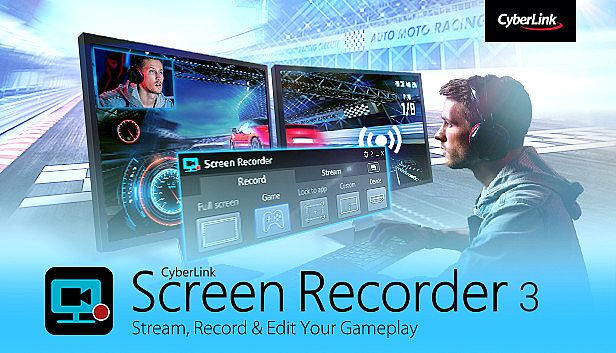
Mit CyberLink ScreenRecorder 3 Deluxe auf dem PC streamst du dein Gameplay direkt auf Twitch, YouTube oder Facebook - in bis zu Full-HD-Qualität. Nimm Aufnahmen von deinem PC-Bildschirm, einem bestimmten Fenster oder angeschlossenen Gaming-Konsolen wie PlayStation und Xbox auf. Überlagere Webcam-Video und Mikrofon-Audio für Reactions und Kommentare, bei niedriger CPU- und GPU-Last für flüssige Performance. Schnell und einfach Videos bearbeiten: Clips zuschneiden, Titel, Übergänge und Audiospuren einfügen. Erstelle hochwertige Videos für Gaming-Highlights, Tutorials oder Business-Präsentationen. Unverzichtbar für Gamer, Vlogger und Profis im Video-Produktion und Web-Publishing, um Zuschauer zu fesseln.

STREAM YOUR GAMEPLAY TO THE WORLD
Go beyond just streaming in-game action and start creating content that engages with your followers on Twitch, YouTube or Facebook. Integrate webcam commentary into livestreams, or record and edit gameplay to focus on the best bits.
    Livestream to Twitch, YouTube and Facebook
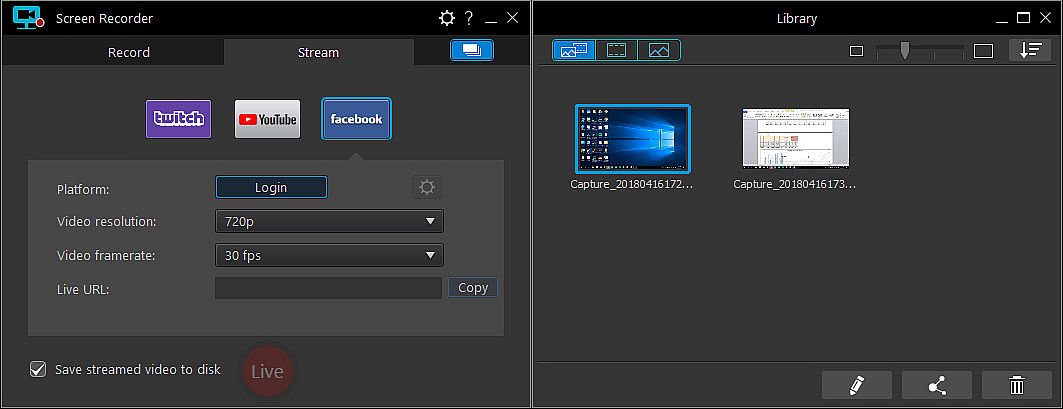
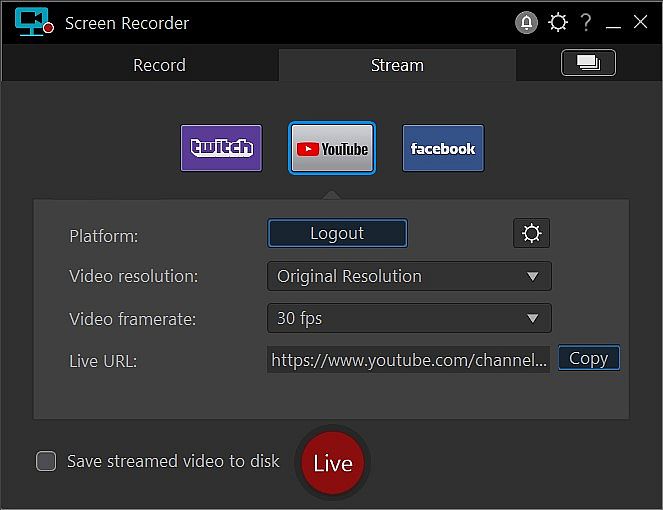
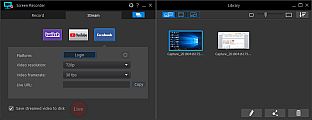
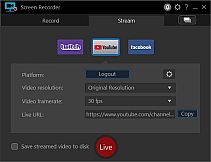
    Using Screen Recorder you can connect directly to the platform of your choice and stream video in up to Full HD quality. Livestreaming gameplay to Twitch, YouTube or Facebook is a great way to share your love of gaming with the world.
    • Stream from gaming consoles
      Streaming on Screen Recorder is not just limited to the PC. You can livestream gameplay from a connected Playstation, Xbox or other popular gaming consoles directly to Twitch, YouTube or Facebook. Add live reaction video from your webcam to really engage with your viewers.

    • Integrate your webcam
      Share more than just your gameplay. Share your gaming secrets, reactions and commentary with your viewers by integrating webcam & microphone audio and video on top of your in-game footage, even when you’re streaming from a gaming console.
    • Reduced system footprint
      We understand that CPU and GPU processing power is vital for smooth gameplay and streaming. While other screen capturing solutions consume far too much of the precious processing power that gamers require, we’ve taken every step possible to ensure Screen Recorder minimizes CPU & GPU load as much as possible for your gameplay. The results speak for themselves with comparative tests showing Screen Recorder 3 performs more than two times better than the nearest popular option on the market. That’s 2 times more processing power you can use!
CREATE VIDEOS FOR ALL AUDIENCES
Powered by CyberLink’s industry-leading video editing tools, Screen Recorder is more than just screen capturing software. Record & edit content to provide your audience with videos that are detailed, high-quality, and informative.

  • Record from PC or console
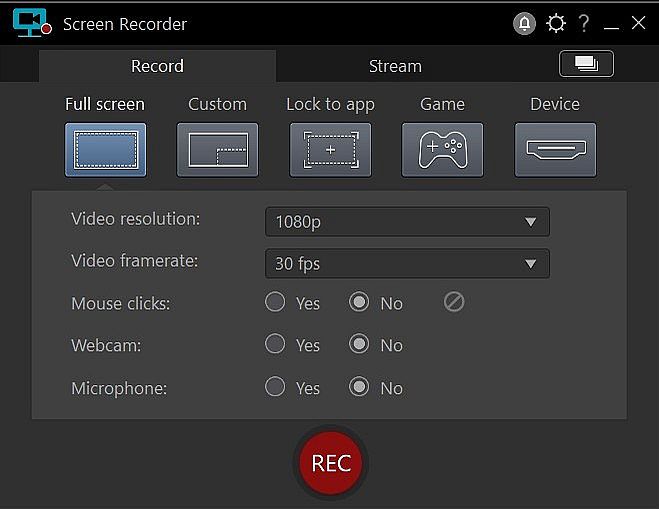
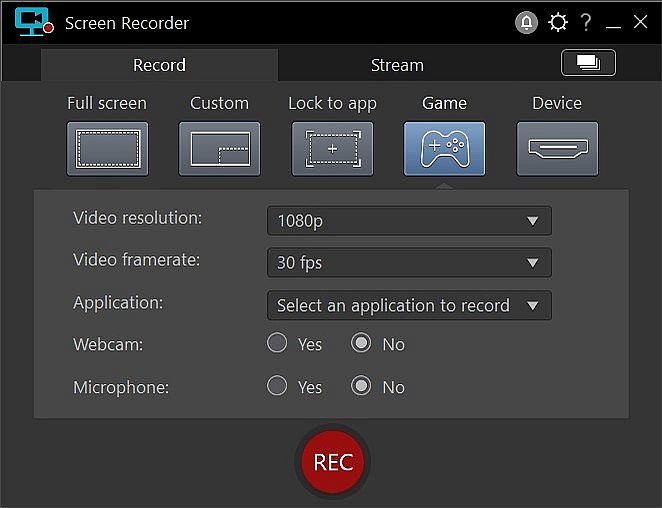
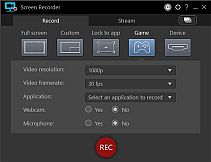
    Whether you’re a vlogger, gamer, or how-to expert, Screen Recorder will have you producing high-quality, detailed videos in next to no time. Record your whole screen, just a window, or lock to a specific app. For gamers, you can record gameplay from your PC even in exclusive mode, and also capture directly from your gaming console!

  • Easy-to-use editing tools
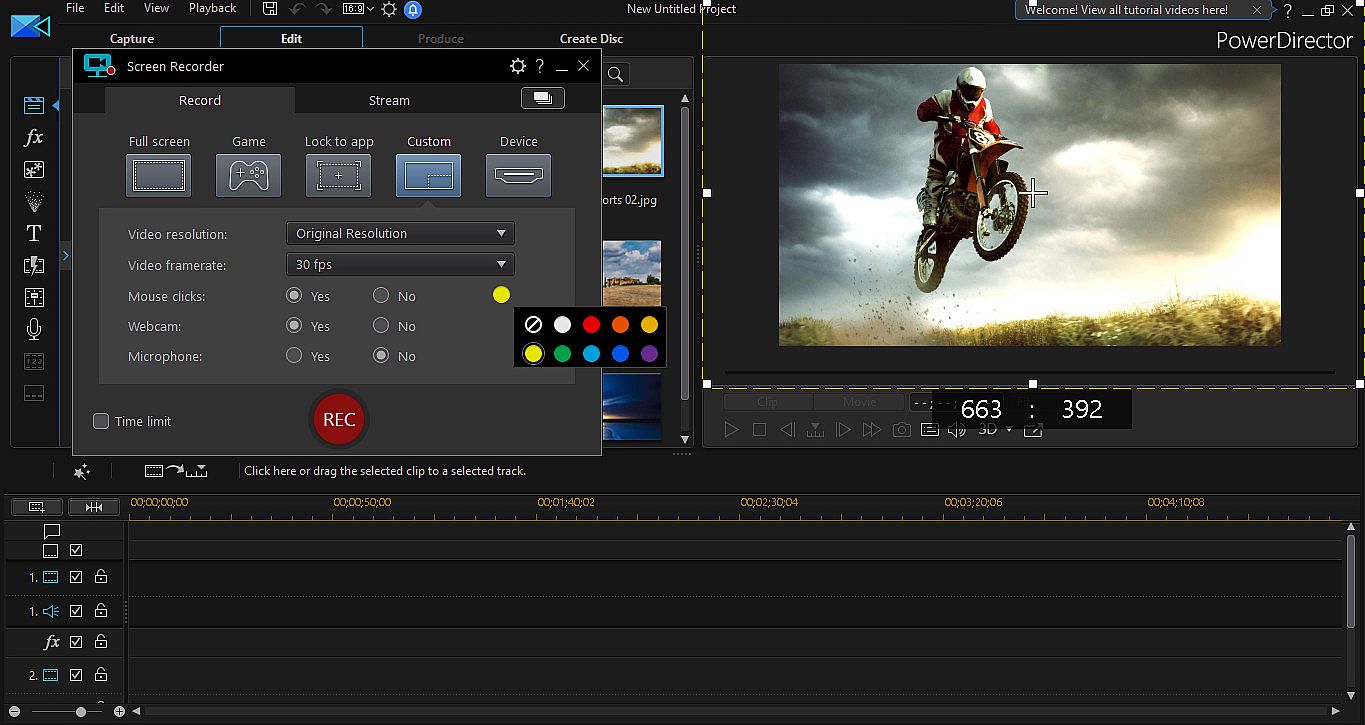
    Don’t spend hours figuring out how to edit your footage. Screen Recorder comes with a remarkably simple editing interface that allows you to quickly import and trim your footage, add titles and transitions, and also add a special audio backing track.
SCREEN CAPTURE FOR WORK
Powered by CyberLink’s industry-leading video editing tools, Screen Recorder is more than just screen capturing software. Record & edit content to provide your audience with videos that are detailed, high-quality, and informative.

  • Record & edit presentations
    Allow staff to review presentations by recording, editing, and publishing them online. Perfect for visually explaining things to collegues, creating tutorials or interactive visual training guides for your teams.
  • Livestream directly to your audience
    Expand your audience by streaming presentation with HD screen sharing and integrated webcam video to YouTube and Facebook. It’s the easiest way to hold interactive presentations and connect with customers and staff.
Oberfläche:
GermanEnglishSpanish - SpainFrenchItalianJapaneseKoreanDutchSimplified ChineseTraditional Chinese
Audio:
GermanEnglishSpanish - SpainFrenchItalianJapaneseKoreanDutchSimplified ChineseTraditional Chinese
Untertitel:
GermanEnglishSpanish - SpainFrenchItalianJapaneseKoreanDutchSimplified ChineseTraditional Chinese

Altersfreigabe

Keine Angabe
Steam:
Mostly Positive (18)

Minimum:

  • Prozessor: Intel Core™ i-series or AMD Phenom® II and above
  • Arbeitsspeicher: 2 GB RAM
  • Grafik: Desktop recording: 1GB VGA VRAM or higher
  • Speicherplatz: 600 MB available space
  • Zusätzliche Hinweise: Windows compatible sound card is required; Internet connection is required for initial software activation, video codec activation and social media services

Empfohlen:

  • Prozessor: Intel Core™ i-series or AMD Phenom® II and above
  • Arbeitsspeicher: 2 GB RAM
  • Grafik: Desktop recording: 1GB VGA VRAM or higher
  • Speicherplatz: 600 MB available space
  • Zusätzliche Hinweise: Windows compatible sound card is required; Internet connection is required for initial software activation, video codec activation and social media services
Historisches Tief
Preisverlauf von offiziellen Shops
-
-
-
Preisverlauf von Keyshops
-
-
-

FAQ

8 Fragen

Bevor du nach einem günstigen CyberLink ScreenRecorder 3 Deluxe Key suchst, prüfe die wichtigsten Fakten. Entwickelt von CyberLink. Veröffentlicht von Koch Media. PC Release-Datum: 22 Mai 2018. Genres: Utilities, Audio Production, Video Production, Design & Illustration, Web Publishing.

Q

Wo kann ich einen gĂĽnstigen CyberLink ScreenRecorder 3 Deluxe Steam Key kaufen?

Derzeit gibt es keine aktiven Angebote fĂĽr CyberLink ScreenRecorder 3 Deluxe. Setze einen Preisalarm auf XD.deals und wir benachrichtigen dich, sobald ein Angebot verfĂĽgbar ist.

Wir haben derzeit keinen aktuellen Steam-Store-Preis für CyberLink ScreenRecorder 3 Deluxe. Das Spiel ist möglicherweise vorübergehend nicht verfügbar oder noch nicht bei Steam gelistet.

Unser Preistracker deckt sowohl offizielle Händler als auch Key-Marktplätze ab, sodass du CyberLink ScreenRecorder 3 Deluxe im Angebot auch außerhalb saisonaler Aktionen finden kannst. Wir erkennen derzeit 0 aktive Angebote von offiziellen Shops und Keyshops. Prüfe die Tabelle oben, vergleiche mit dem historischen Tief und setze einen Alarm, damit du den nächsten Preissturz nicht verpasst.

Laut unseren Daten ist CyberLink ScreenRecorder 3 Deluxe derzeit nicht auf GeForce NOW verfügbar. Du musst es lokal auf deinem PC ausführen. Stöbre durch Spiele, die auf GeForce NOW verfügbar sind.

Ja. CyberLink ScreenRecorder 3 Deluxe hat eine offizielle Steam-Shop-Seite, aber wir tracken derzeit keine Drittanbieter-Angebote mit Steam-DRM. Schau später nochmal vorbei oder setze einen Preisalarm.

Derzeit nicht. Valve kennzeichnet CyberLink ScreenRecorder 3 Deluxe als Unsupported auf dem Steam Deck. Behalte XD.deals im Blick - wir verfolgen Proton-Updates und Community-Fixes. Stöbere durch Spiele, die Steam Deck Verified oder Steam Deck Playable sind.

CyberLink ScreenRecorder 3 Deluxe scheint derzeit nicht im PC Game Pass, bei EA Play, Ubisoft+ oder einem anderen PC-Abonnement verfĂĽgbar zu sein. Deine einzige Option ist der Kauf - nutze XD.deals, um den besten Preis zu finden.

Nein - XD.deals ist kein Shop. Wir sind ein Preisvergleich, der die besten CyberLink ScreenRecorder 3 Deluxe-Deals bei offiziellen Shops und verifizierten Keyshops verfolgt. Klicke neben einem Angebot auf "Zum Shop" und du wirst zur Webseite des Händlers weitergeleitet, um deinen Kauf abzuschließen.

Zum besten Zeitpunkt kaufen? Setze einen Preisalarm auf XD.deals und werde benachrichtigt, wenn CyberLink ScreenRecorder 3 Deluxe sein nächstes historisches Tief erreicht.

Alarm erstellen
Tritt unserem Discord bei
Erhalte Hilfe von der Community und bleibe ĂĽber Angebote informiert
Preisalarme einrichten
Erhalte E-Mail-Benachrichtigungen wenn Preise fallen
Kostenloses Konto erstellen
Schalte Wunschlisten, Preisalarme und Steam-Sync frei