
Pixeluvo PC kaufen

Wo kannst du den günstigsten Pixeluvo Steam-Key für {6} kaufen? Vergleiche Preise aus 1 Shops und finde unter 1 Angeboten auf XD Deals die beste Option. Aktuell liegt der niedrigste Pixeluvo {6} Preis im Keyshop bei 31,99 € (0% Rabatt).

Veröffentlichung: 14 Aug. 2014
Steam:
Positive (206)
Keyshops
Nicht verfügbar
Im offiziellen Store kaufen:
31,99 €
Im Keyshop kaufen:
Preisverlauf anzeigen

Offizielle Shops (1)

DRM:
Steam
Steam
Steam
Pixeluvo
Windows
vor 1J
DRM:
Steam
Steam
31,99 €
Historical Low Deal
Historical low

Über Pixeluvo

Pixeluvo - Spielbeschreibung
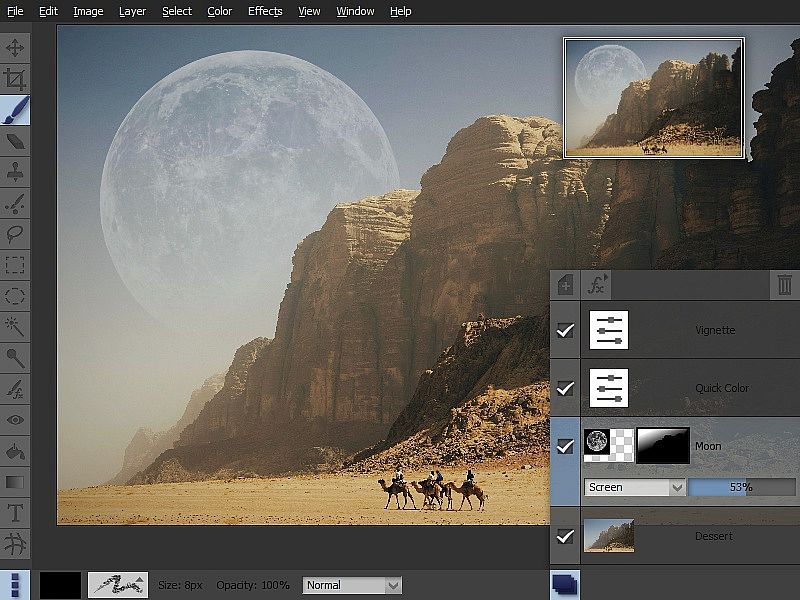
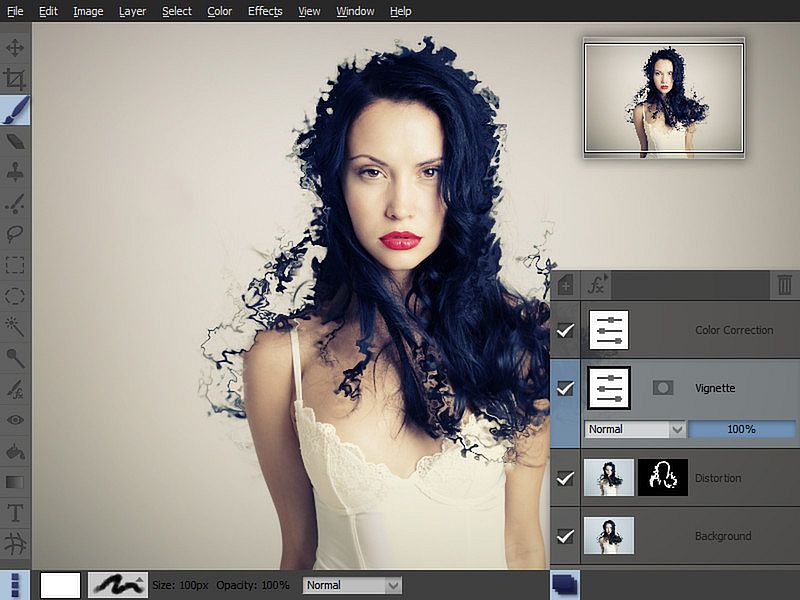
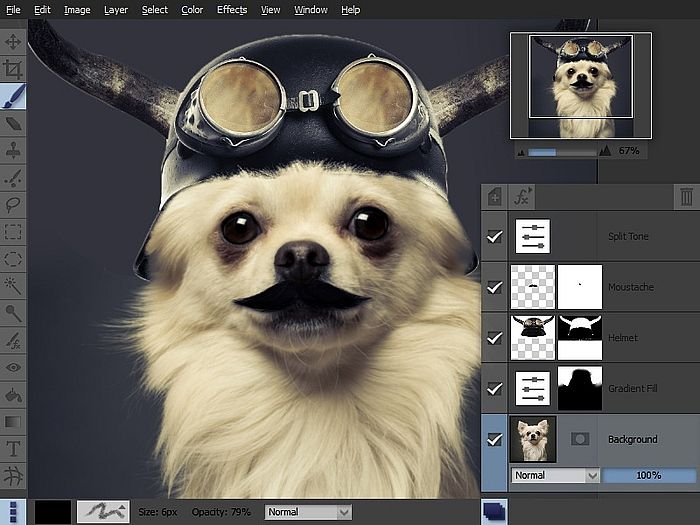
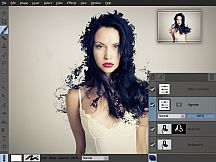
Pixeluvo bietet auf Windows eine hochwertige Foto-Bearbeitung, die von einfachem Zuschneiden und Skalieren bis hin zu aufwendigen Arbeiten mit Layers und Masks alles abdeckt. Nutzer korrigieren Perspektiven, entfernen Makel mit Spot-Heal und passen Farben via Kurven, Levels oder Quick-Color-Presets an. Raw-Dateien durchlaufen einen vollständigen Workflow und bleiben als editierbare Layers erhalten, damit man bis zur finalen Bitmap-Umwandlung nachjustieren kann. Dieses Design- und Illustrations-Tool überzeugt mit druckempfindlichen Pinseln, unbegrenzten Layers in diversen Blend-Modi sowie Effekten wie Rauschunterdrückung oder Lens Flares. Auswahlwerkzeuge präzise isolieren Bereiche, die intuitive Oberfläche nutzt den Platz optimal mit versteckbaren Panels und Vollbild-Ansichten. Profis wie Hobby-Editoren schätzen den nicht-destruktiven Workflow für feine Bildoptimierungen.

Pixeluvo is a beautifully designed image and photo editor for Windows. From simple photo cropping and resizing to complex image manipulation with multiple adjustment layers and masks, Pixeluvo can handle just about all your day-to-day image editing requirements. With its high quality toolset and attention to detail this is software that is simply a pleasure to use.

Pixeluvo contains a wide range of advanced features including non-destructive editing via adjustment layers, full support for raw image formats, powerful color correction tools, realistic pressure-sensitive drawing tools and many image enhancement filters.

  • Full RAW processing pipeline
  • Unlimited layers and masks
  • Adjustment layers
  • Huge selection of powerful filters and effects
  • Powerful tools for photo touch-up and editing
  • Realistic painting tools with pressure support
  • Easy to use modern UI

Photo Editing


With Pixeluvo it is simple to crop, resize or rotate images. But of course it doesn’t end there. With just a few clicks you can:

  • Fix perspective distortion
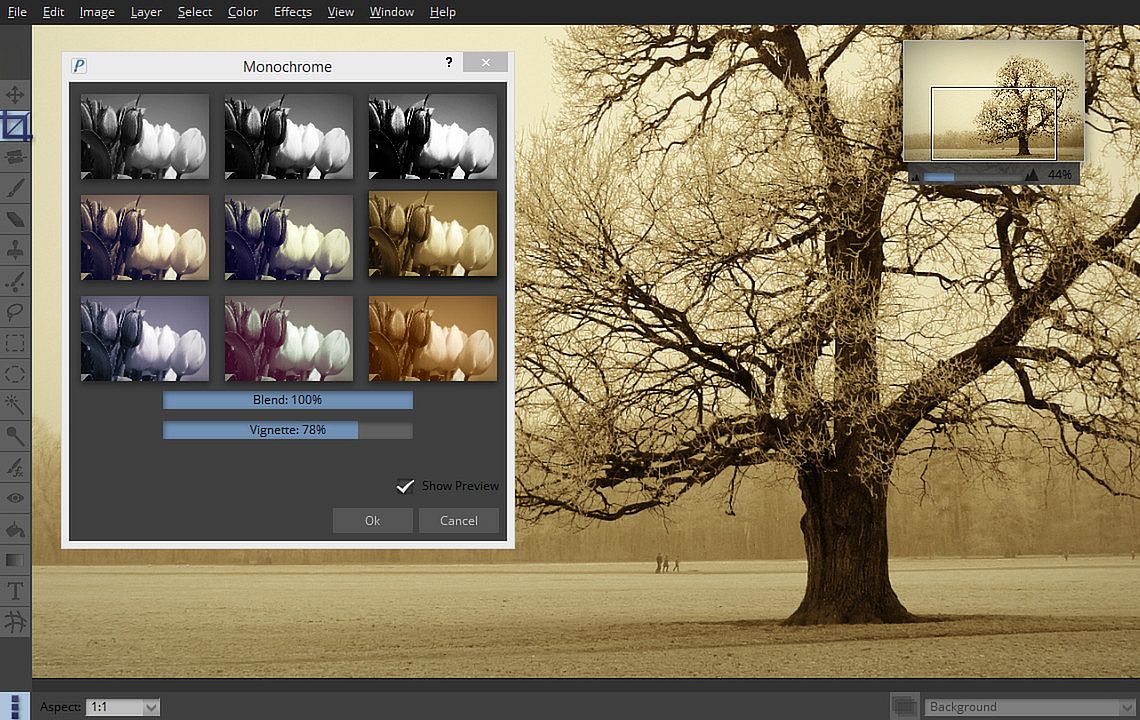
  • Add a vignette to your photos
  • Quickly paint out blemishes with the Spot-Heal tool
  • Transform the feel of an image with the Quick Color filter
  • Add text or captions to your images

Color Correction


Pixeluvo contains a full range of color transform filters, allowing you to quickly transform the look of an image.

  • Choose from a range of high quality presets in the Quick Color filter
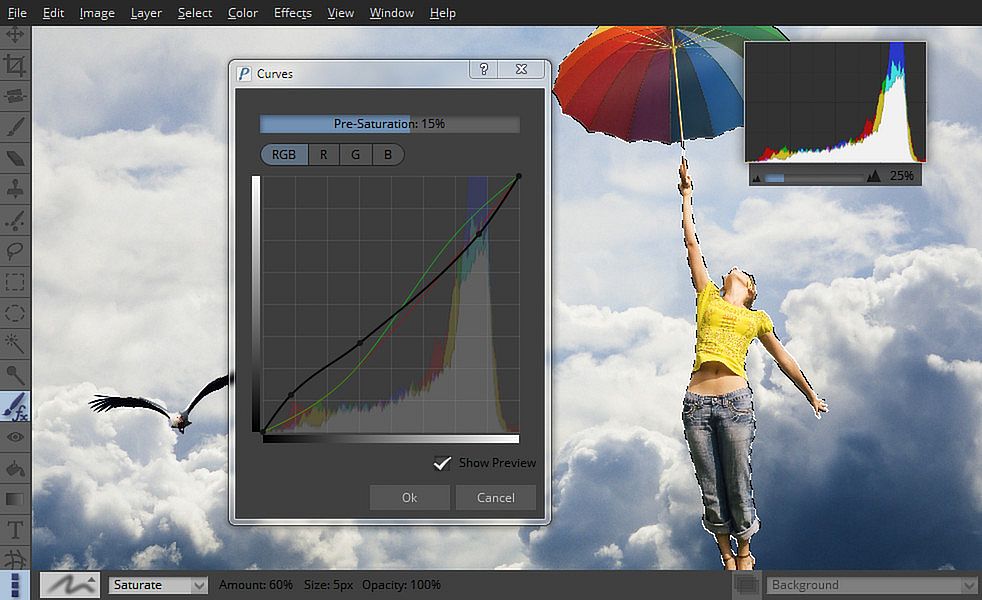
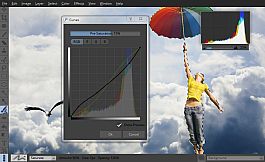
  • Have complete control with the Curves and Levels filters
  • Adjust the color temperature
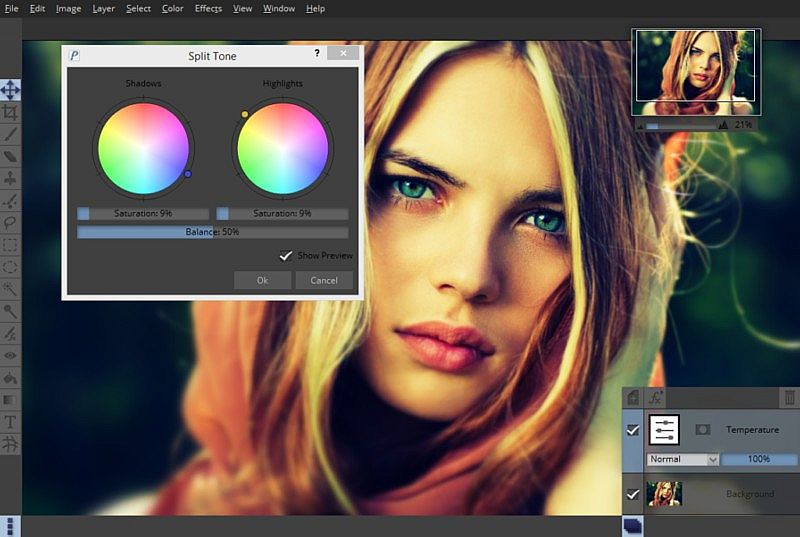
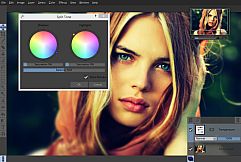
  • Adjust the color balance separately for shadows, midtones and highlights
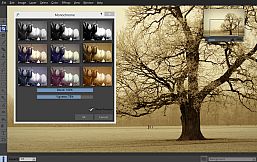
  • Many other professional color filters

All the color correction filters can also be used in a non-destructive manner as adjustment layers, so you can come back and alter the settings at any time.

RawTools


Pixeluvo contains a full high precision raw image processing pipeline.

  • Import raw files from all camera manufacturers
  • Have precise control over exposure, color, and tone values
  • Raw files are placed in their own layer type (indicated by a letter ‘R’ in the layer preview), and all settings remain fully editable.
  • Add other layers to your project, use adjustment layers and masks, and all the while keep coming back to fine tune the settings for raw conversion.

When you are totally happy with the settings you can convert the layer to an ordinary bitmap layer in order to paint directly onto it, or apply destructive filters to it.

Powerful Tools


Pixeluvo includes many powerful tools for editing your images. The Paintbrush tool comes with many high quality brush presets for simulating real media, and supports pressure sensitive graphics tablets for even better realism and control. With the various selection tools you can quickly isolate regions for further editing. Other tools include:

  • Spot-Heal tool
  • Clone tool
  • Filter brush
  • Text tool
  • Warp tool

Layers and Masks


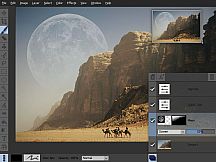
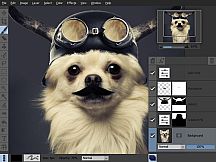
Using layers and masks can be an incredibly powerful way to build up complex images non-destructively.

  • Create unlimited layers and blend them together using one of the many blending modes
  • Use adjustment layers to keep color adjustments editable
  • Text layers also remain editable, so the text, fonts and styling can be altered at any point
  • Add a layer mask to any layer to control which areas should be visible
  • Create masks from selections and vice versa

Filters and Effects


Pixeluvo contains a wide selection of powerful filters and effects, from all kinds of blurs and distortion filters, to advanced image enhancement and unique painterly effects.

  • Remove noise and jpeg compression artifacts
  • Boost detail
  • Add a tilt-shift (miniturise) effect
  • Turn a photo into a beautiful drawing with the charcoal and chalk filter
  • Add a realistic lens flare with the flexible lens flare filter
  • And many more.

Modern User-Interface


Pixeluvo’s interface has been carefully designed to be intuitive, beautiful, and to stay out of your way wherever possible. We think that you should be spending your time making your images look amazing, not wrestling with the user-interface. We have tried hard to make Pixeluvo as easy to use as possible, whilst at the same time making sure it is pleasing to look at.

  • Simple and intuitive controls
  • Panels can be hidden when they are not needed to allow the maximum room for your images
  • Make the most of every pixel with full-screen mode
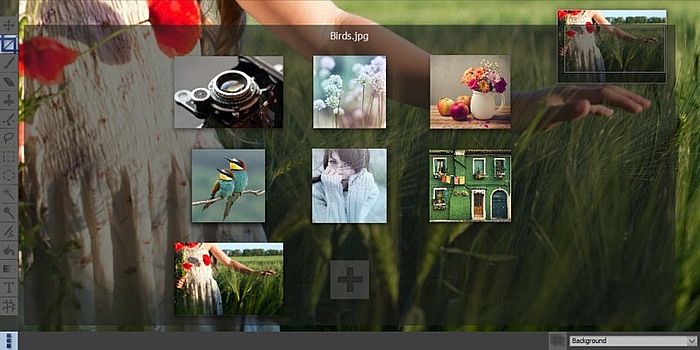
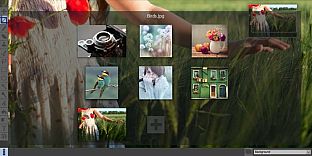
  • Quickly view and switch between all open projects with ‘exposé’ view

Oberfläche:
English

Altersfreigabe

Keine Angabe
Steam:
Positive (206)

Minimum:

  • Prozessor: Intel Pentium 4, AMD Opteron with SSE2 support
  • Arbeitsspeicher: 4 GB RAM
  • Speicherplatz: 100 MB available space

Empfohlen:

  • Betriebssystem: Windows 10 or later
  • Prozessor: Dual or Quad Core Processor
  • Arbeitsspeicher: 8 GB RAM
  • Speicherplatz: 200 MB available space
Historisches Tief
Preisverlauf von offiziellen Shops
-
-
-
Preisverlauf von Keyshops
-
-
-

FAQ

8 Fragen

Bevor du nach einem günstigen Pixeluvo Key suchst, prüfe die wichtigsten Fakten. Entwickelt von Pictopotamus. Veröffentlicht von Pictopotamus. PC Release-Datum: 14 Aug. 2014. Genres: Design & Illustration, Photo Editing.

Q

Wo kann ich einen günstigen Pixeluvo Steam Key kaufen?

Mit unserem Preisvergleich und verifizierten Rabattcodes kannst du einen Pixeluvo Key schon ab 31,99 € kaufen. Dieses Angebot ist bei Steam verfügbar und gehört zu den günstigsten auf dem Markt. Alle auf XD.deals gelisteten Keys werden digital geliefert und können nach der Zahlung sofort heruntergeladen werden. Die Preise enthalten bereits Bearbeitungsgebühren und eingelöste Promo-Codes, sodass du immer den niedrigsten Pixeluvo Preis auf PC siehst. Sieh dir den Pixeluvo Preisverlauf an, um zum besten Zeitpunkt zu kaufen.

Laut unserem letzten Update (wir aktualisieren Steam-Preise mehrmals täglich) beträgt der Pixeluvo Steam-Preis 31,99 €. Du kannst zusätzlich ca. 6% sparen, indem du mit einer vergünstigten Steam-Geschenkkarte zahlst.

Unser Preistracker deckt sowohl offizielle Händler als auch Key-Marktplätze ab, sodass du Pixeluvo im Angebot auch außerhalb saisonaler Aktionen finden kannst. Wir erkennen derzeit 1 aktives Angebot von offiziellen Shops und Keyshops. Prüfe die Tabelle oben, vergleiche mit dem historischen Tief und setze einen Alarm, damit du den nächsten Preissturz nicht verpasst.

Laut unseren Daten ist Pixeluvo derzeit nicht auf GeForce NOW verfügbar. Du musst es lokal auf deinem PC ausführen. Stöbre durch Spiele, die auf GeForce NOW verfügbar sind.

Ja. Pixeluvo hat eine offizielle Steam-Shop-Seite. Du kannst auch einen Pixeluvo Steam Key von Drittanbietern kaufen. Unser Preisvergleich umfasst derzeit 1 Angebot mit Steam-DRM. Wähle eines davon, um sicherzustellen, dass dein Pixeluvo Download über Valves Plattform läuft.

Derzeit nicht. Valve kennzeichnet Pixeluvo als Unsupported auf dem Steam Deck. Behalte XD.deals im Blick - wir verfolgen Proton-Updates und Community-Fixes. Stöbere durch Spiele, die Steam Deck Verified oder Steam Deck Playable sind.

Pixeluvo scheint derzeit nicht im PC Game Pass, bei EA Play, Ubisoft+ oder einem anderen PC-Abonnement verfügbar zu sein. Deine einzige Option ist der Kauf - nutze XD.deals, um den besten Preis zu finden.

Nein - XD.deals ist kein Shop. Wir sind ein Preisvergleich, der die besten Pixeluvo-Deals bei offiziellen Shops und verifizierten Keyshops verfolgt. Klicke neben einem Angebot auf "Zum Shop" und du wirst zur Webseite des Händlers weitergeleitet, um deinen Kauf abzuschließen.

Beste Preise für Pixeluvo

1 Steam Steam Official
31,99 €

Zum besten Zeitpunkt kaufen? Setze einen Preisalarm auf XD.deals und werde benachrichtigt, wenn Pixeluvo sein nächstes historisches Tief erreicht.

Alarm erstellen
Tritt unserem Discord bei
Erhalte Hilfe von der Community und bleibe über Angebote informiert
Preisalarme einrichten
Erhalte E-Mail-Benachrichtigungen wenn Preise fallen
Kostenloses Konto erstellen
Schalte Wunschlisten, Preisalarme und Steam-Sync frei