

Sticky Apps :: Monitor Ping PC kaufen

Wo kannst du den günstigsten Sticky Apps :: Monitor Ping Steam-Key für {6} kaufen? Vergleiche Preise aus 1 Shops und finde unter 1 Angeboten auf XD Deals die beste Option. Aktuell liegt der niedrigste Sticky Apps :: Monitor Ping {6} Preis im Keyshop bei 3,29 € (0% Rabatt).

Veröffentlichung: 08 Mai 2019
Steam:
Positive (36)
Keyshops
Nicht verfügbar
Im offiziellen Store kaufen:
3,29 €
Im Keyshop kaufen:
Preisverlauf anzeigen

Offizielle Shops (1)

DRM:
Steam
Steam
Steam
Sticky Apps :: Monitor Ping
Windows
vor 1J
DRM:
Steam
Steam
3,29 €
Historical Low Deal
Historical low

Über Sticky Apps :: Monitor Ping

Sticky Apps :: Monitor Ping - Spielbeschreibung
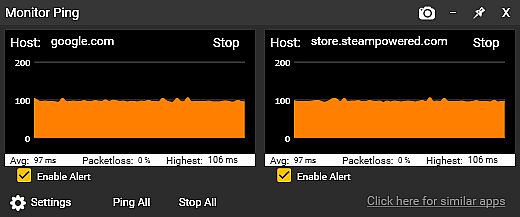
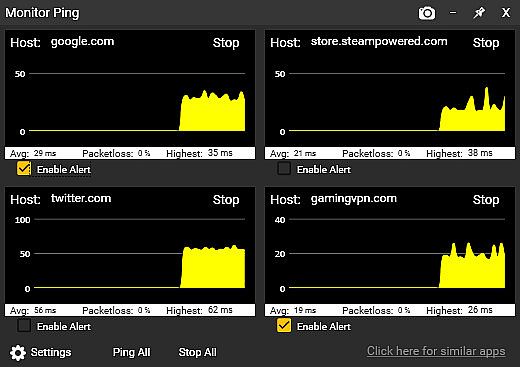
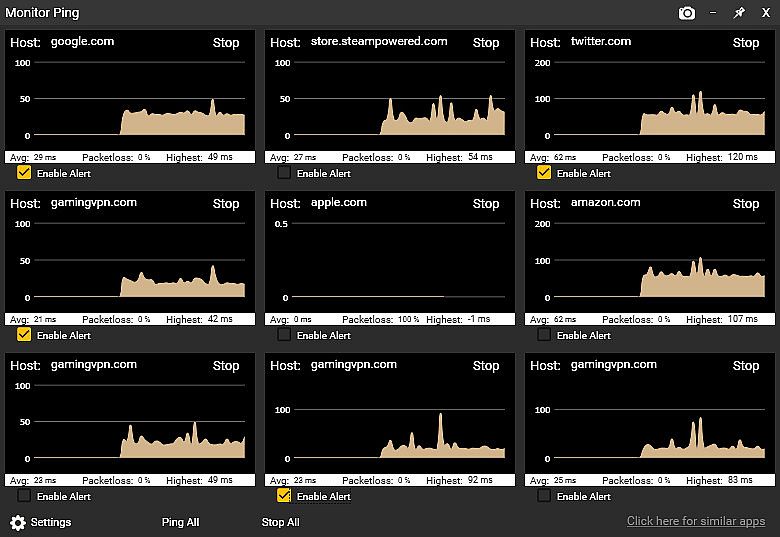
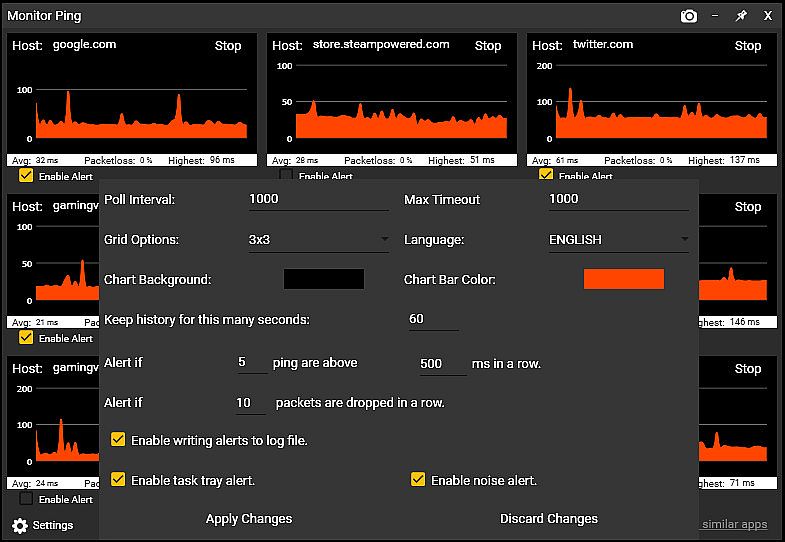
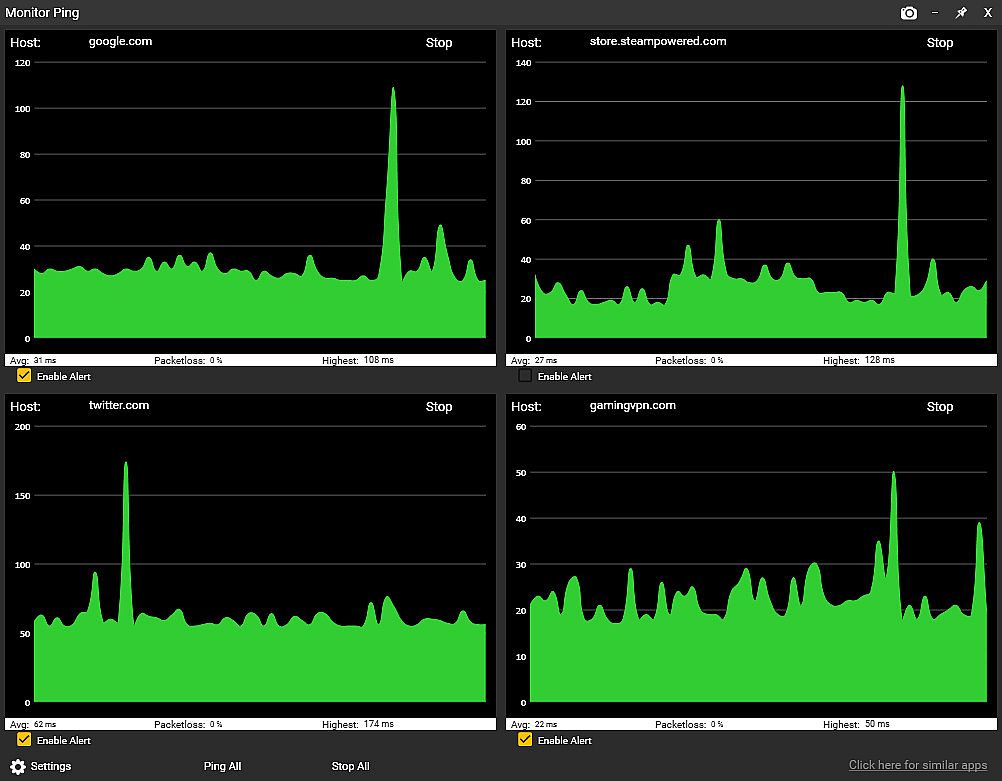
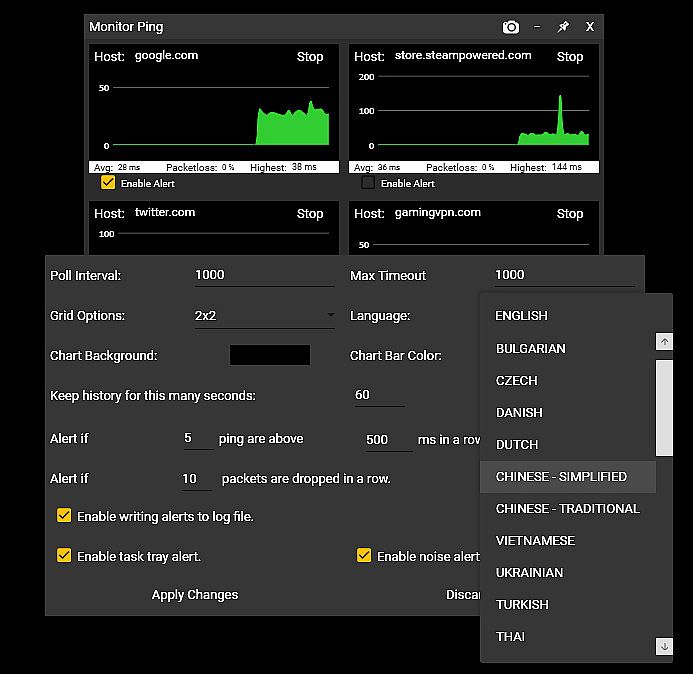
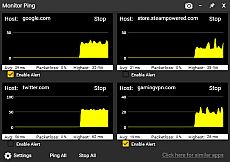
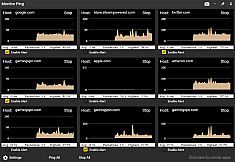
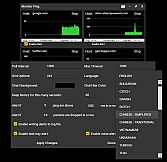
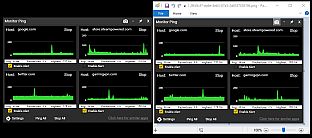
Sticky Apps :: Monitor Ping ermöglicht es dir, Netzwerk-Latenz und Paketverluste zu mehreren Internet-Servern direkt vom PC-Desktop aus zu überwachen. Klebe die grafischen Monitore überall hin für schnelle Blicke auf Pings zu Game-Servern, Streaming-Seiten oder deinem ISP. Passe die Anzahl der Ziele, Farbschemata, Grafikverläufe von 60 Sekunden bis 60 Minuten an und richte Alarme für hohe Latenz oder Paketverluste über Task-Tray-Icons, Audio oder Logs ein. Dieses Tool übertrifft Kommandozeilen-Programme, indem es gespeicherte Ziele gleichzeitig abfragt, PNG-Grafiken per Klick exportiert und Probleme laufend protokolliert - bei minimalem Bandbreitverbrauch von nur 32 Bytes pro Sekunde und Monitor. Gamer und Streamer prüfen Router, ISP-Hops, zuverlässige Hosts wie 8.8.8.8 sowie Game-Server, um Lag-Quellen von WiFi-Störungen bis Backbone-Problemen einzugrenzen.


Sticky Apps :: Monitor Ping is an application to view your network connection to multiple systems on the Internet. This is a great way to monitor your PING/network to game servers, video streaming servers, or your ISP in general. This software is titled "Sticky Apps" as each application can be stickied to your desktop, allowing for easy viewing of information.
MONITOR YOUR PING

  • Monitor your ping to various servers on the Internet
  • Change the number of destinations you monitor
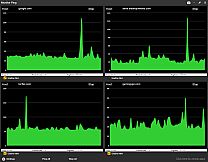
  • Change colors scheme to fit your needs
  • Provide alerts if latency/ping gets too high
  • Provide alerts if packet-loss exists
  • Sticky this anywhere on your desktop
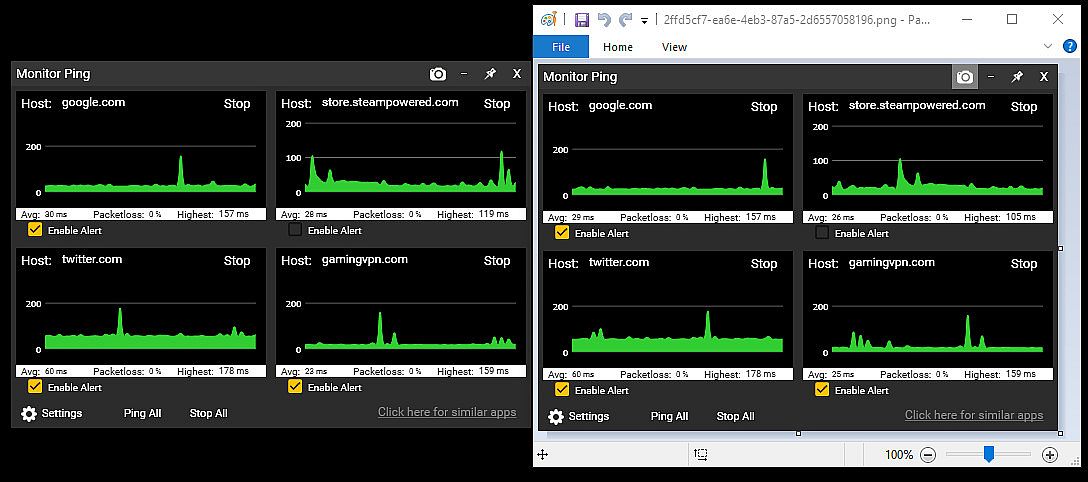
  • Export an image of your ping statistics


What is the difference between this and command prompt ping?
The built-in Windows command prompt ping is more of a real-time latency checker to a single host. This Monitor Ping application improves upon that in several ways:
  • Ping multiple locations at once with a simple click (it saves locations)
  • Has a graphical interface that you can scale in size to give an immediate, visual representation of latency
  • Can alert you if packet-loss exceeds a certain threshold
  • Can alert you if real-time latency exceeds a certain threshold
  • Provides an ongoing log-file of packet-loss and excess latency
  • Tracks packetloss in an ongoing fashion
  • Has options to enable the tracking graph size (eg, 60 seconds of history vs 60 minutes)
  • Is visually pleasing
  • Can 1-click export the graph into an image (PNG)

Won't this use up a lot of bandwidth?
Not at all! Each monitor uses approx. 32 bytes of traffic per second in/out. To put that in perspective, you can poll a server 32,000 times before it uses even 1 MB in/out. By comparison, just watching a single second (1 second) of 1080p video on Youtube uses roughly 100,000 times more bandwidth than each monitor you have running.

Why would I use this?
This is a great way to decide "Is it me?" by doing the following:

  • Set up Monitor #1 to be your router (ie, 192.168.0.1 / 10.0.0.1 or such).
  • Set up Monitor #2 to be your next-up hop of your ISP (do a tracert to determine this).
  • Set up Monitor #3 to be something typically very reliable. I suggest 8.8.8.8 or google . com
  • Set up Monitor #4 to be an online game server you typically play on.

Now let's say you're getting drops from your favorite game server, or experiencing lag. Just by looking at the Monitor Ping app, you can now confirm some very important information.

  • Is it between your PC and your router (such as bad wifi?). Well, just check Graph #1 and that will answer it. No packetloss + steady latency = not a wifi problem.
  • Is it your connection between your home and your ISP such as a cable model issue? Well, cheeck Graph #2 and that will answer it.
  • Is it your ISP backbone? Well, Graph #3 will help answer that.
  • Is it the actual game server's network? Graph #4 will help that.
This application is a great first step in determining network connectivity issues, as well as just having an overall monitor to see how things are operating.
RECENT UPDATES

New Alerts System!


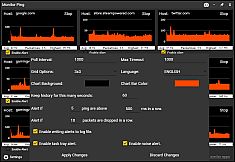
You can now receive alerts/notification of packetloss as well as high latency by the following methods:
  • Windows task tray icon alert
  • Audio alert
  • Log-file entry of the alert

Support For 25+ Languages!

The application now supports all supported Steam languages!

Oberfläche:
ArabicBulgarianCzechDanishGermanGreekEnglishSpanish - SpainSpanish - Latin AmericaFinnishFrenchHungarianItalianJapaneseKoreanDutchNorwegianPolishPortuguese - PortugalPortuguese - BrazilRomanianRussianSwedishThaiTurkishUkrainianVietnameseSimplified ChineseTraditional Chinese

Altersfreigabe

Keine Angabe
Steam:
Positive (36)

Minimum:

  • Prozessor: Any CPU
  • Arbeitsspeicher: 150 MB RAM
  • Grafik: Any semi-modern GPU

Empfohlen:

  • Prozessor: Any CPU
  • Arbeitsspeicher: 150 MB RAM
  • Grafik: Any semi-modern GPU
Historisches Tief
Preisverlauf von offiziellen Shops
-
-
-
Preisverlauf von Keyshops
-
-
-

FAQ

8 Fragen

Bevor du nach einem günstigen Sticky Apps :: Monitor Ping Key suchst, prüfe die wichtigsten Fakten. Entwickelt von Tim Sullivan. Veröffentlicht von Tim Sullivan. PC Release-Datum: 08 Mai 2019. Genres: Utilities, Design & Illustration. Kategorien: Stats, Steam Achievements.

Q

Wo kann ich einen günstigen Sticky Apps :: Monitor Ping Steam Key kaufen?

Mit unserem Preisvergleich und verifizierten Rabattcodes kannst du einen Sticky Apps :: Monitor Ping Key schon ab 3,29 € kaufen. Dieses Angebot ist bei Steam verfügbar und gehört zu den günstigsten auf dem Markt. Alle auf XD.deals gelisteten Keys werden digital geliefert und können nach der Zahlung sofort heruntergeladen werden. Die Preise enthalten bereits Bearbeitungsgebühren und eingelöste Promo-Codes, sodass du immer den niedrigsten Sticky Apps :: Monitor Ping Preis auf PC siehst. Sieh dir den Sticky Apps :: Monitor Ping Preisverlauf an, um zum besten Zeitpunkt zu kaufen.

Laut unserem letzten Update (wir aktualisieren Steam-Preise mehrmals täglich) beträgt der Sticky Apps :: Monitor Ping Steam-Preis 3,29 €. Du kannst zusätzlich ca. 6% sparen, indem du mit einer vergünstigten Steam-Geschenkkarte zahlst.

Unser Preistracker deckt sowohl offizielle Händler als auch Key-Marktplätze ab, sodass du Sticky Apps :: Monitor Ping im Angebot auch außerhalb saisonaler Aktionen finden kannst. Wir erkennen derzeit 1 aktives Angebot von offiziellen Shops und Keyshops. Prüfe die Tabelle oben, vergleiche mit dem historischen Tief und setze einen Alarm, damit du den nächsten Preissturz nicht verpasst.

Laut unseren Daten ist Sticky Apps :: Monitor Ping derzeit nicht auf GeForce NOW verfügbar. Du musst es lokal auf deinem PC ausführen. Stöbre durch Spiele, die auf GeForce NOW verfügbar sind.

Ja. Sticky Apps :: Monitor Ping hat eine offizielle Steam-Shop-Seite. Du kannst auch einen Sticky Apps :: Monitor Ping Steam Key von Drittanbietern kaufen. Unser Preisvergleich umfasst derzeit 1 Angebot mit Steam-DRM. Wähle eines davon, um sicherzustellen, dass dein Sticky Apps :: Monitor Ping Download über Valves Plattform läuft.

Derzeit nicht. Valve kennzeichnet Sticky Apps :: Monitor Ping als Unsupported auf dem Steam Deck. Behalte XD.deals im Blick - wir verfolgen Proton-Updates und Community-Fixes. Stöbere durch Spiele, die Steam Deck Verified oder Steam Deck Playable sind.

Sticky Apps :: Monitor Ping scheint derzeit nicht im PC Game Pass, bei EA Play, Ubisoft+ oder einem anderen PC-Abonnement verfügbar zu sein. Deine einzige Option ist der Kauf - nutze XD.deals, um den besten Preis zu finden.

Nein - XD.deals ist kein Shop. Wir sind ein Preisvergleich, der die besten Sticky Apps :: Monitor Ping-Deals bei offiziellen Shops und verifizierten Keyshops verfolgt. Klicke neben einem Angebot auf "Zum Shop" und du wirst zur Webseite des Händlers weitergeleitet, um deinen Kauf abzuschließen.

Beste Preise für Sticky Apps :: Monitor Ping

1 Steam Steam Official
3,29 €

Zum besten Zeitpunkt kaufen? Setze einen Preisalarm auf XD.deals und werde benachrichtigt, wenn Sticky Apps :: Monitor Ping sein nächstes historisches Tief erreicht.

Alarm erstellen
Tritt unserem Discord bei
Erhalte Hilfe von der Community und bleibe über Angebote informiert
Preisalarme einrichten
Erhalte E-Mail-Benachrichtigungen wenn Preise fallen
Kostenloses Konto erstellen
Schalte Wunschlisten, Preisalarme und Steam-Sync frei