
Step Sixteen PC kaufen

Wo kannst du den günstigsten Step Sixteen Steam-Key für {6} kaufen? Vergleiche Preise aus 1 Shops und finde unter 1 Angeboten auf XD Deals die beste Option. Aktuell liegt der niedrigste Step Sixteen {6} Preis im Keyshop bei 4,99 € (0% Rabatt).

Veröffentlichung: 31 Mai 2023
Steam:
Overwhelmingly Negative (3)
Keyshops
Nicht verfügbar
Im offiziellen Store kaufen:
4,99 €
Im Keyshop kaufen:
Preisverlauf anzeigen

Offizielle Shops (1)

DRM:
Steam
Steam
Steam
Step Sixteen
Windows
vor 1W
DRM:
Steam
Steam
4,99 €

Über Step Sixteen

Step Sixteen - Spielbeschreibung
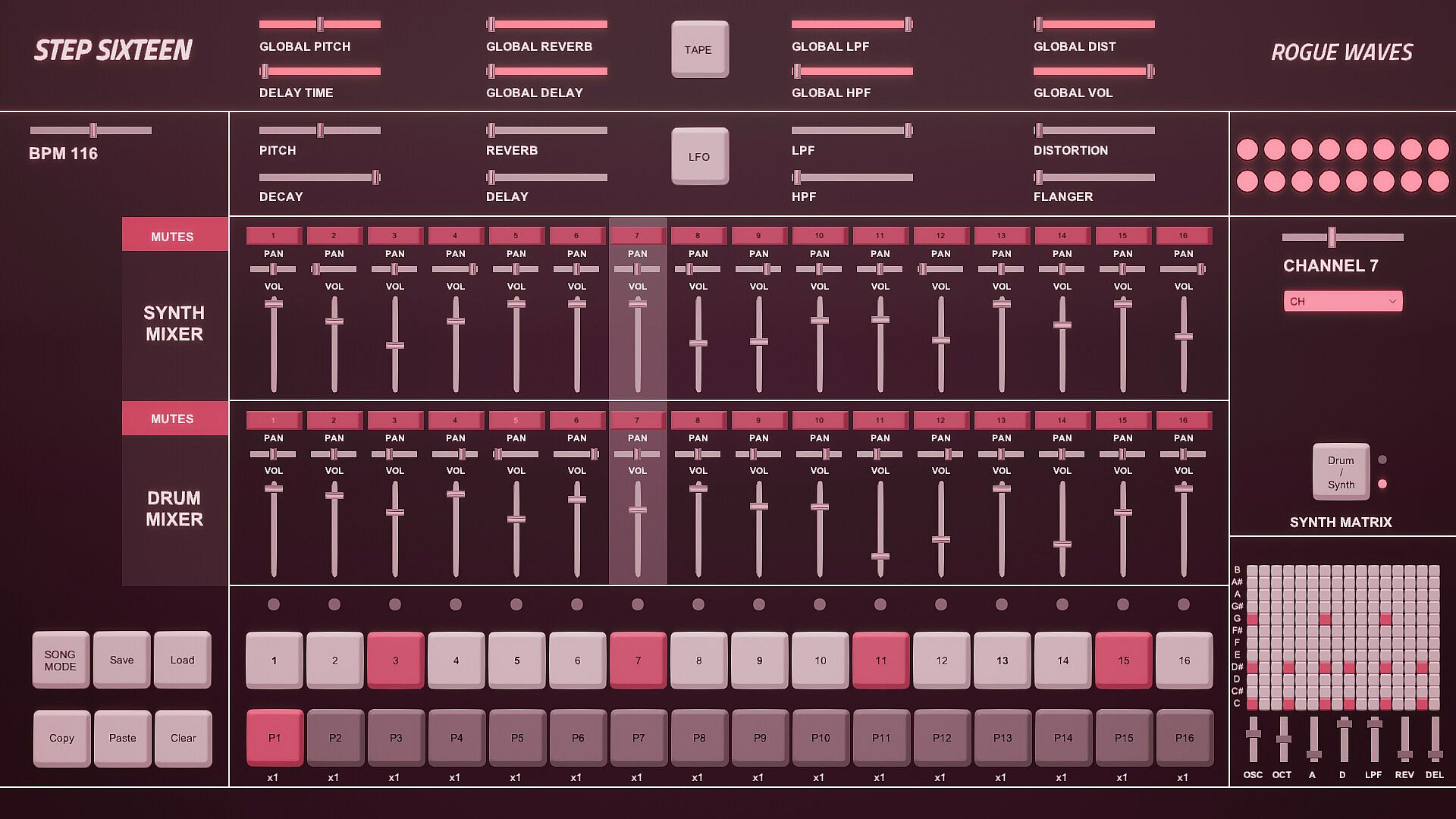
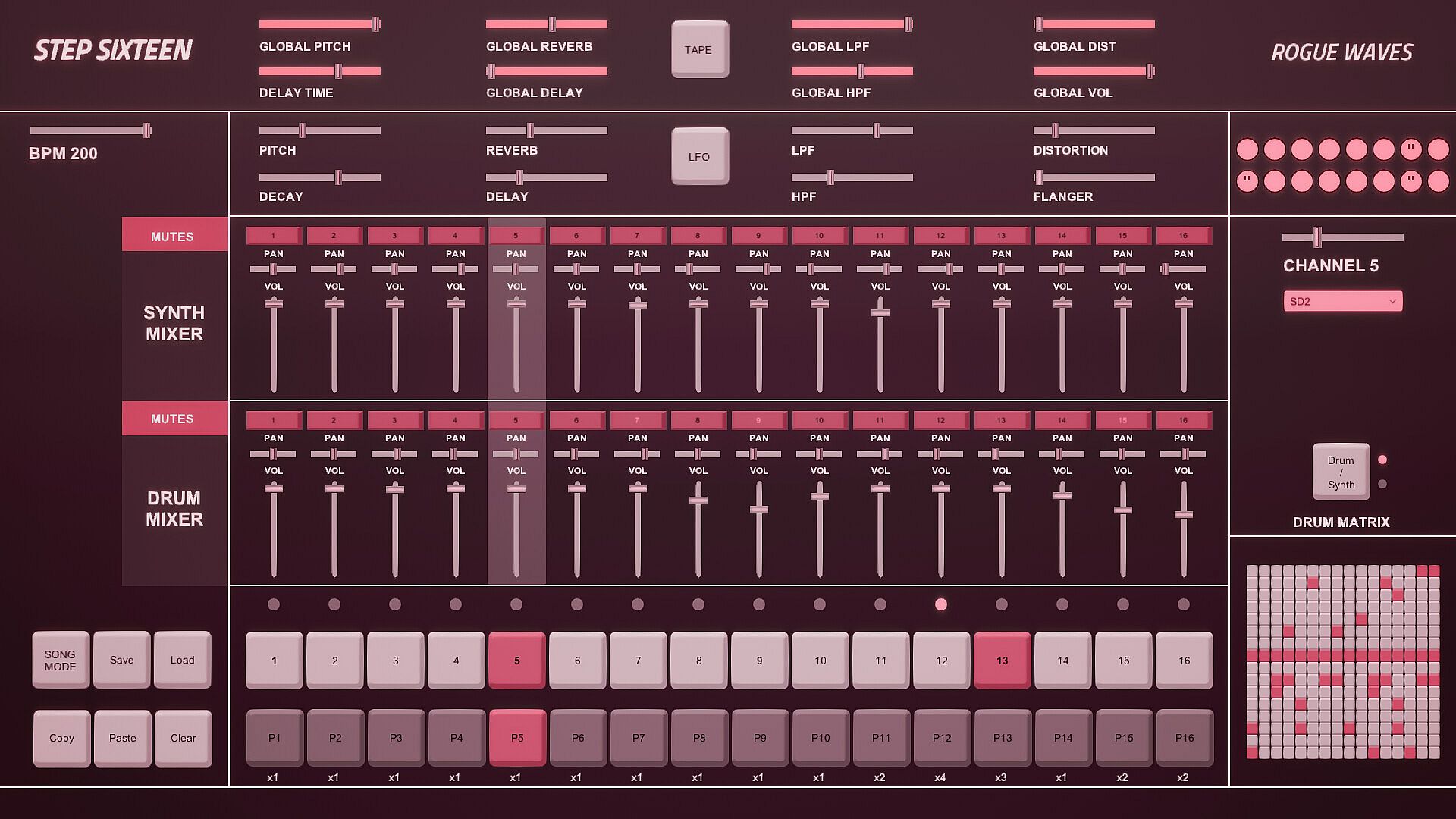
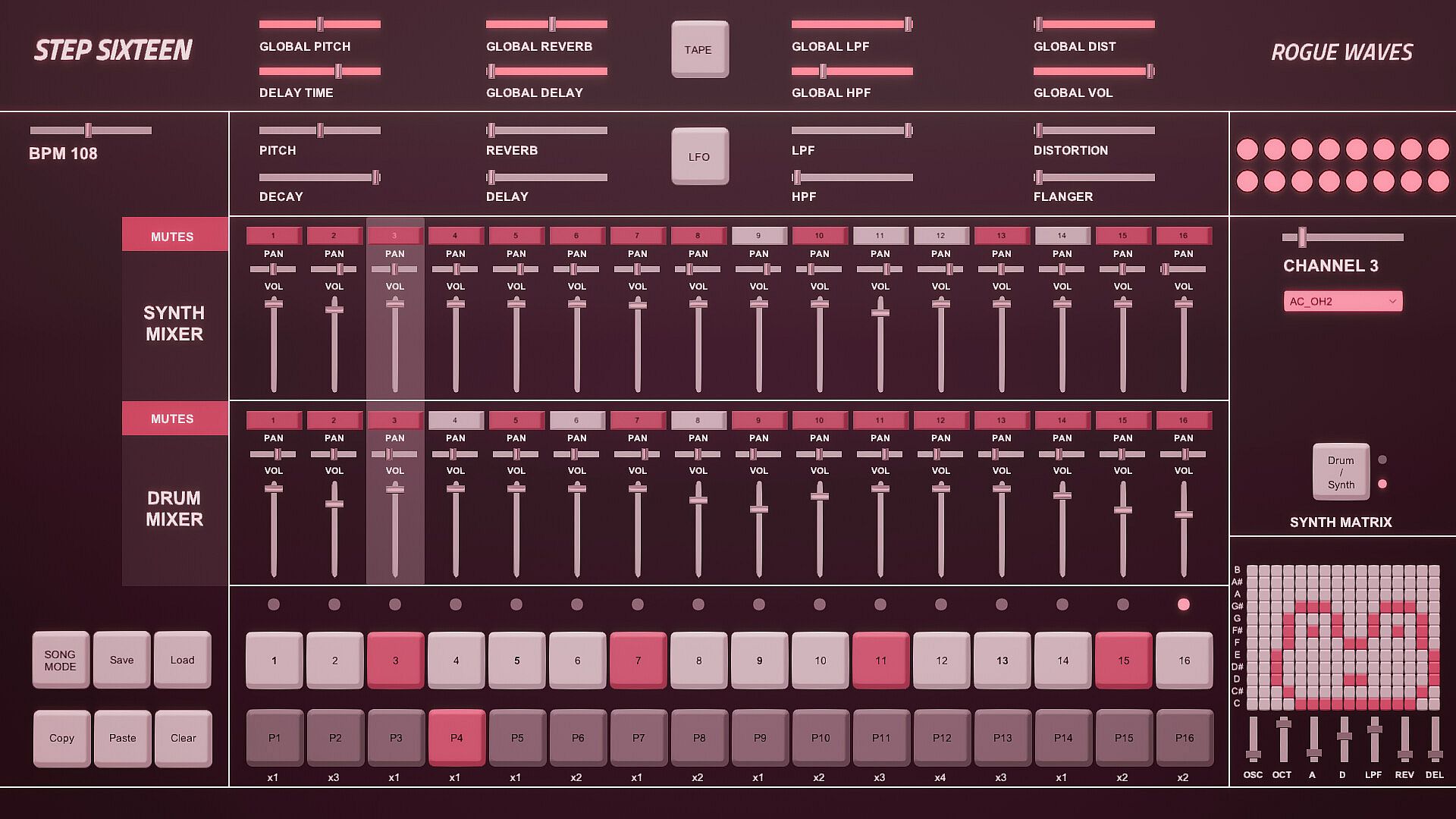
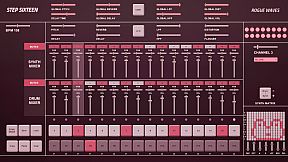
Step Sixteen delivers everything needed to craft electronic music beats, melodies, and full songs on PC. Fire up drum channels for rhythms or switch to the synth matrix for bass lines, arpeggios, chords, and more. Chain patterns in Song Mode, tweak repeats, and sequence them with simple mouse clicks on step buttons, sliders, and patch menus featuring 27 electronic and acoustic percussive sounds. Global sliders adjust pitch, delay, reverb, filters, distortion, and volume across all 16 channels, while per-channel controls add decay and flanger. FX buttons trigger tape stops or LFO pitch randomization, and mixers handle mutes, pan, and levels for drums and synths separately. Drum dancers visualize rhythms as the BPM slider sets the pace-perfect for indie audio production enthusiasts eager to build tracks fast with keyboard shortcuts like spacebar play and pattern copy-paste.

All you need to get started making electronic music - with Step Sixteen you can create your own beats, melodies or songs in no time. Use the drum channels to create wild rhythms or the synth matrix to create bass lines, arpeggios, chords or melodies.

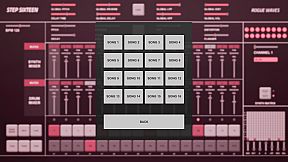
Chain patterns together and sequence them in Song Mode to create full songs.

Keyboard Controls

Press Spacebar to start or stop the sequencer.
Press Enter to Access the Main Menu.
Mouse Controls

Use the mouse to click buttons, patch dropdown menus, pattern repeat numbers and to change slider values. [NOTE: Click read more below for more details]


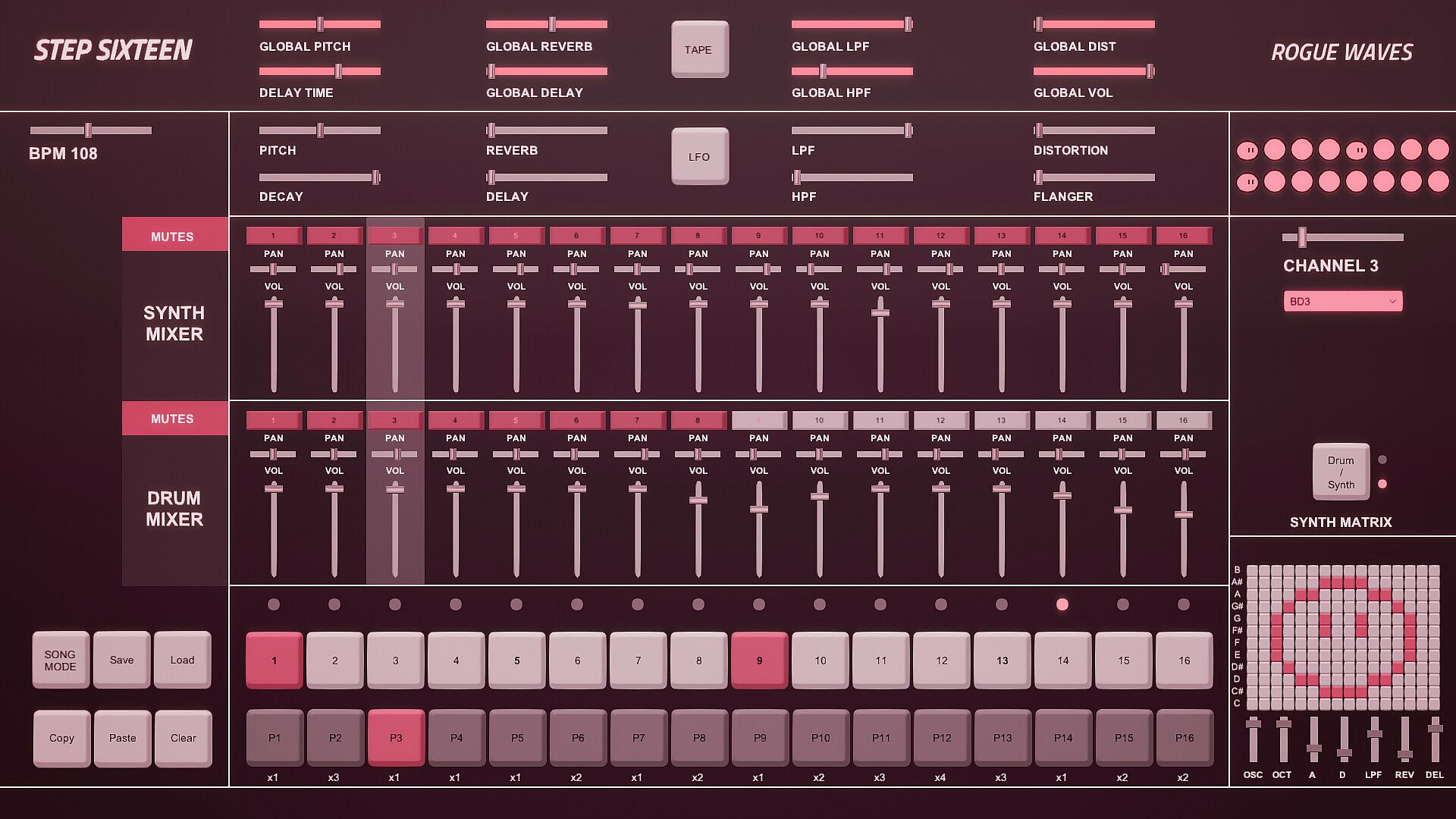
1. Step Indicator LEDs [1-16]
Displays the current step of the sequence when the sequencer is running. Press spacebar to start the sequencer.
[Note] Clicking a step indicator will copy its step button value, click another step indicator to paste the step.
2. Step Buttons [1- 16]
These are used to trigger the drum sounds. Click to turn a step on/off. Each channel has its own 16 step buttons.
3. Pattern Buttons [1-16]
These are used to select a pattern. When in Song Mode patterns will be played back in order.
[Note] In Song Mode pattern changes are quantised to occur at the end of the bar.
4. User Buttons.
The Song Mode Button enables patterns to be played back sequentially.
The Save Button allows the user to save changes to the current song
The Load button allows the user to load what was saved.
The Copy Button allows the user to copy the currently selected pattern
The Paste Button enables the user to paste a copied pattern to another pattern.
The Clear Button clears the currently selected pattern.
[Note] Saving also automatically occurs when the program is closed.
5. Pattern Repeats.
When in Song Mode these determine how many times a pattern will repeat before progressing to the next pattern.
Repeat can be set to x1 (plays once), x2, x3 or x4.
Click on a repeat number to increment its value.
6. Matrix Section.
If the current matrix is set to Drum Matrix the user can input steps across all drum channels without having to change channels.
Channels are displayed on the vertical axis while steps are represented on the horizontal axis.
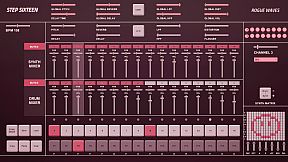
If the current matrix is set to Synth Matrix the user can input steps on the currently selected synth channels.
Notes/pitch are displayed on the vertical axis while steps are represented on the horizontal axis.
7. Matrix Switch.
Toggles between the Drum and Synth Matrix. An LED is also used to indicate which matrix is displayed.

8. Patch Drop Down Menu.
Click this menu to select the sound/patch for the currently selected Channel.
There are 27 sounds to choose from spanning a variety of electronic and acoustic percussive sounds.
[Note] The same sound/patch can be loaded on multiple channels.

9. Channel Selection Slider.
Use this slider to select the active channel.
The active channel is displayed in the text below and is also highlighted in the mixer section.
There are 16 channels to choose from.
10. Drum Dancers [1-16].
Each drum channel has a dancer that will dance according to the rhythm programmed on that channel.
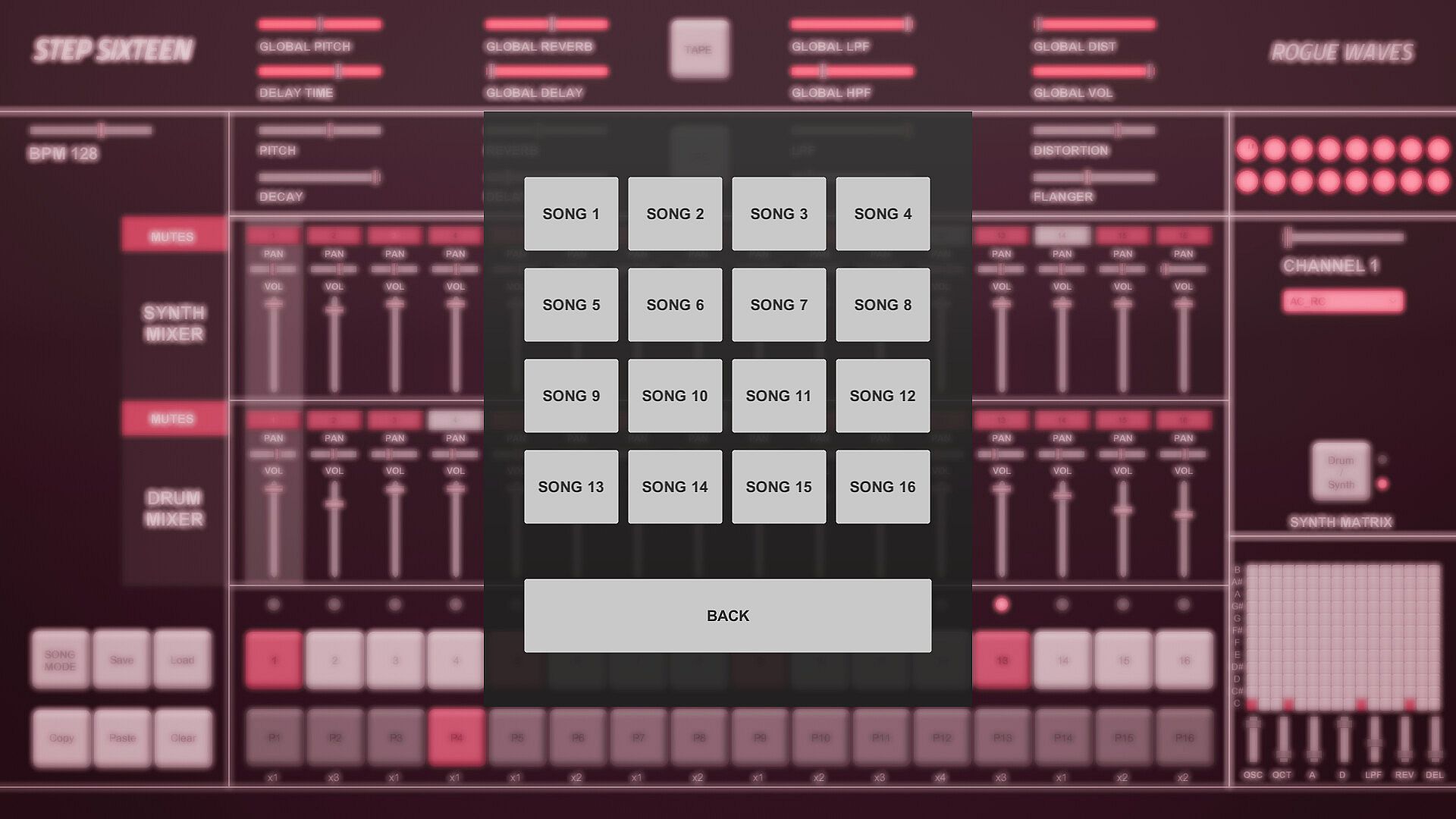
11. FX Buttons.
The Tape FX Button performs a classic tape stop effect. toggle it off to resume playback.
The LFO FX Button randomises the pitch of all steps.
12. Global Sliders.
These parameters are applied across all channels.
There are global controls for Pitch, Delay Time, Reverb, Delay, LPF (Low Pass Filter), HPF (High Pass Filter), Distortion and Volume.
13. BPM Slider.
Used to set the BPM (beats per minute). This determines how fast/slow the sequencer plays back.
14. Channel Sliders.
These parameters are used to shape the current channel's sound.
There are controls for Pitch, Decay, Reverb, Delay, LPF (Low Pass Filter), HPF (High Pass Filter), Distortion and Flanger.
15. Synth Mixer Mutes [1-16].
These are used to mute/unmute synth channels 1-16.
Each mute button’s channel number will be lit when a sound is triggered on its channel.

16. Synth Mixer Pan.
Used to set the speaker panning for synth channels 1-16.
17. Synth Mixer Volume.
Used to set the volume level for synth channels 1-16.
18. Drum Mixer Mutes [1-16].
These are used to mute/unmute drum channels 1-16.
Each mute button’s channel number will be lit when a sound is triggered on its channel.

19. Drum Mixer Pan.
Used to set the speaker panning for drum channels 1-16.
20. Drum Mixer Volume.
Used to set the volume level for drum channels 1-16.
Oberfläche:
English

Altersfreigabe

Keine Angabe
Steam:
Overwhelmingly Negative (3)

Minimum:

  • Betriebssystem: Windows 10
  • Prozessor: 2.9 GHz Quad-Core Intel Core i5
  • Arbeitsspeicher: 8 GB RAM
  • Grafik: NVIDIA GeForce GTX 660M 512 MB
  • Speicherplatz: 153 MB available space

Empfohlen:

Historisches Tief
Preisverlauf von offiziellen Shops
-
-
-
Preisverlauf von Keyshops
-
-
-

FAQ

8 Fragen

Bevor du nach einem günstigen Step Sixteen Key suchst, prüfe die wichtigsten Fakten. Entwickelt von Rogue Waves. Veröffentlicht von Rogue Waves. PC Release-Datum: 31 Mai 2023. Genres: Indie, Audio Production.

Q

Wo kann ich einen günstigen Step Sixteen Steam Key kaufen?

Mit unserem Preisvergleich und verifizierten Rabattcodes kannst du einen Step Sixteen Key schon ab 4,99 € kaufen. Dieses Angebot ist bei Steam verfügbar und gehört zu den günstigsten auf dem Markt. Alle auf XD.deals gelisteten Keys werden digital geliefert und können nach der Zahlung sofort heruntergeladen werden. Die Preise enthalten bereits Bearbeitungsgebühren und eingelöste Promo-Codes, sodass du immer den niedrigsten Step Sixteen Preis auf PC siehst. Sieh dir den Step Sixteen Preisverlauf an, um zum besten Zeitpunkt zu kaufen.

Laut unserem letzten Update (wir aktualisieren Steam-Preise mehrmals täglich) beträgt der Step Sixteen Steam-Preis 4,99 €. Du kannst zusätzlich ca. 6% sparen, indem du mit einer vergünstigten Steam-Geschenkkarte zahlst.

Unser Preistracker deckt sowohl offizielle Händler als auch Key-Marktplätze ab, sodass du Step Sixteen im Angebot auch außerhalb saisonaler Aktionen finden kannst. Wir erkennen derzeit 1 aktives Angebot von offiziellen Shops und Keyshops. Prüfe die Tabelle oben, vergleiche mit dem historischen Tief und setze einen Alarm, damit du den nächsten Preissturz nicht verpasst.

Laut unseren Daten ist Step Sixteen derzeit nicht auf GeForce NOW verfügbar. Du musst es lokal auf deinem PC ausführen. Stöbre durch Spiele, die auf GeForce NOW verfügbar sind.

Ja. Step Sixteen hat eine offizielle Steam-Shop-Seite. Du kannst auch einen Step Sixteen Steam Key von Drittanbietern kaufen. Unser Preisvergleich umfasst derzeit 1 Angebot mit Steam-DRM. Wähle eines davon, um sicherzustellen, dass dein Step Sixteen Download über Valves Plattform läuft.

Derzeit nicht. Valve kennzeichnet Step Sixteen als Unsupported auf dem Steam Deck. Behalte XD.deals im Blick - wir verfolgen Proton-Updates und Community-Fixes. Stöbere durch Spiele, die Steam Deck Verified oder Steam Deck Playable sind.

Step Sixteen scheint derzeit nicht im PC Game Pass, bei EA Play, Ubisoft+ oder einem anderen PC-Abonnement verfügbar zu sein. Deine einzige Option ist der Kauf - nutze XD.deals, um den besten Preis zu finden.

Nein - XD.deals ist kein Shop. Wir sind ein Preisvergleich, der die besten Step Sixteen-Deals bei offiziellen Shops und verifizierten Keyshops verfolgt. Klicke neben einem Angebot auf "Zum Shop" und du wirst zur Webseite des Händlers weitergeleitet, um deinen Kauf abzuschließen.

Beste Preise für Step Sixteen

1 Steam Steam Official
4,99 €

Zum besten Zeitpunkt kaufen? Setze einen Preisalarm auf XD.deals und werde benachrichtigt, wenn Step Sixteen sein nächstes historisches Tief erreicht.

Alarm erstellen
Tritt unserem Discord bei
Erhalte Hilfe von der Community und bleibe über Angebote informiert
Preisalarme einrichten
Erhalte E-Mail-Benachrichtigungen wenn Preise fallen
Kostenloses Konto erstellen
Schalte Wunschlisten, Preisalarme und Steam-Sync frei