














Colory VR Painter PC kaufen

Dieser Inhalt erfordert das Hauptspiel: Colory Engine

Wo kannst du den günstigsten Colory VR Painter Steam-Key für {6} kaufen? Vergleiche Preise aus 1 Shops und finde unter 1 Angeboten auf XD Deals die beste Option. Aktuell liegt der niedrigste Colory VR Painter {6} Preis im Keyshop bei 20,99 € (0% Rabatt).

Veröffentlichung: 22 Okt. 2020
Keyshops
Nicht verfügbar
Im offiziellen Store kaufen:
20,99 €
Im Keyshop kaufen:
Preisverlauf anzeigen

Offizielle Shops (1)

DRM:
Steam
Steam
Steam
Colory VR Painter
Windows
vor 1J
DRM:
Steam
Steam
20,99 €
Historical Low Deal
Historical low

Über Colory VR Painter

Colory VR Painter - Spielbeschreibung
This enables the "Colory VR Painter" application.
(Headset required)

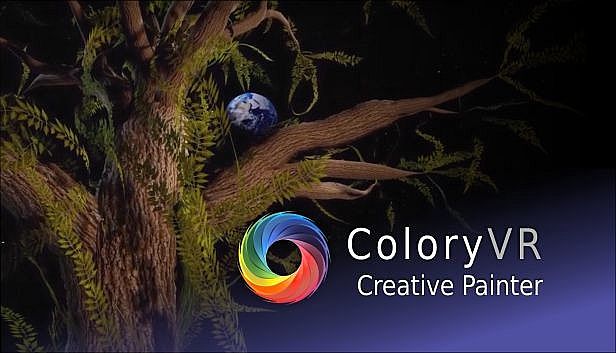
Colory VR is a creative virtual reality application.

Multiple tools allow the instant creation of 3D objects in 3D space directed by the users hand.
Let your imagination drive your brush to create your dreams faster then ever before.

WORKSHOP:
Get inspired by hundreds of brush materials.
The ColoryVR WORKSHOP features beautiful and free brushpacks released by us and the community.
You can also share your painting easely via the workshop.

MODKIT:
Inspire others by sharing your own brushpack.
Create your own brushes with your own textures with the included ColoryVR MODKIT.
The modkit is a custom unreal editor. so you have full flexibility to create your own brushes.
In-Editor tutorials guide you step-by-step through the process.

FREE VIEWER VERSION:
ColoryVR features a free of charge "View-Only" version. So you can share your paintings with friends who do not own the paid full version.
Toolset
Spline Brush
The Spline Brush allows the user to draw strokes of paint. This is what comes closest to drawing with a pencil in 2D. The settings allow for different shapes and brush behavior. The created 3D shape is further defined by the material the user has choosen to draw with.


Convex Brush
The Convex Brush allows the user to draw convex hull objects. This tool is usefull to create volumes ealisy. The created 3D shape is further defined by the material the user has choosen to draw with.


Particle Brush
The Particle Brush creates multiple particles with a single stroke. The material applied not only defines the visuals of the particle, but also the behavior, the spread, the rotation and the amount of particles created. The settings of the tool allow for further fine tuning of the behavior and selection of particle shape


Poly Brush
The Poly Brush is a tool that is connected to the Google Poly Library of static meshes and requires an usage agreement and an online connection. Supported is the download and placement of objects created with Google Blocks application.

Recolor Tool
The Recolor Tool gives the user the option to change the color of a stroke after drawing it. It supports multiple modes like multiply, divide, shift hue, lighten, ... or simply set a different color.


Selection Tool
The Selection Tool give the user the ability to handle multiple paints at once. Select at will, select all paints from a layer, transfer selected paints to a different layer. Selections can be scaled and copied.

Screenshot Tool
The Screenshot Tool provides you with another view into the world to capture your creations for your loved ones. Support for varios predefined resolutions as well as custom resolutions (max size depends on your graphics cards memory). Give your shots a special touch with PostProcess effects.

Video Tool
The Video Tool records animations for camera objects. These can be rendered individually or together into a .mp4 movie or image sequences. Support for multiple predefined resolutions and extensive PostProcess video effects for the special touch.

Animation Tool
The Animation Tool works in conjunction with the Scene Graph to create transform animations for objects in the scene. Animations can be recorded frame by frame or continuous with support for different playback options (Step, Linear, Curve).

Pipette
The Pipette picks colors and/or materials from existing paints in the world.

Mirror Plane (3d Mandala)
The Mirror Plane is a object that can be freely positioned in the world to mirror your brush strokes. It has options for different mirror types which end up in the creation of 3d mandalas.


Material Designer
Each brush material can be edited instantly in the in-game material designer.
This way you can permanently edit your brushes for a maximum of individuality in you paintings.

LIV - Mixed Reality integration
Mix a live-video of yourself inside the ColoryVR-World.
Additional Features
  • The player is able to scale himself up 50x bigger or smaller
  • Sun, Moon, Background and Atmosphere are adjustable in many ways.
  • The paints of the scene can be exported (obj, fbx, gltf, glb)
  • The scene is structured using the Scene Graph to support multiple layers and relative animations
  • Paints can be moved and copied, rescaled and recolored.
  • access to experimental features like "Sound Painting" - an approach to make sound and music with paint movements.
  • frequent updates with new surprises..
Support:
Any questions are welcomed at our discord chat:
Oberfläche:
GermanEnglish

Minimum:

  • Betriebssystem: Windows 10
  • Prozessor: Intel i5-4590, AMD FX 8350 equivalent or better
  • Arbeitsspeicher: 4 GB RAM
  • Grafik: Nvidia GeForce GTX 970, AMD Radeon R9 290 equivalent or better
  • Speicherplatz: 4 MB available space
  • Zusätzliche Hinweise: VR Headset

Empfohlen:

  • Betriebssystem: Windows 10
  • Prozessor: Intel i5-4590, AMD FX 8350 equivalent or better
  • Arbeitsspeicher: 8 GB RAM
  • Grafik: Nvidia GeForce GTX 1060, AMD Radeon RX 480 equivalent or better
  • Speicherplatz: 4 GB available space
  • Zusätzliche Hinweise: VR Headset
Historisches Tief
Preisverlauf von offiziellen Shops
-
-
-
Preisverlauf von Keyshops
-
-
-
Tritt unserem Discord bei
Erhalte Hilfe von der Community und bleibe über Angebote informiert
Preisalarme einrichten
Erhalte E-Mail-Benachrichtigungen wenn Preise fallen
Kostenloses Konto erstellen
Schalte Wunschlisten, Preisalarme und Steam-Sync frei

FAQ

8 Fragen

Bevor du nach einem günstigen Colory VR Painter Key suchst, prüfe die wichtigsten Fakten. Entwickelt von LUCID LAYERS. Veröffentlicht von LUCID LAYERS. PC Release-Datum: 22 Okt. 2020. Genres: Indie, Casual, Simulation, Animation & Modeling, Audio Production, Video Production, Design & Illustration. Kategorien: Steam Workshop, Single-player, Downloadable Content.

Q

Wo kann ich einen günstigen Colory VR Painter Steam Key kaufen?

Mit unserem Preisvergleich und verifizierten Rabattcodes kannst du einen Colory VR Painter Key schon ab 20,99 € kaufen. Dieses Angebot ist bei Steam verfügbar und gehört zu den günstigsten auf dem Markt. Alle auf XD.deals gelisteten Keys werden digital geliefert und können nach der Zahlung sofort heruntergeladen werden. Die Preise enthalten bereits Bearbeitungsgebühren und eingelöste Promo-Codes, sodass du immer den niedrigsten Colory VR Painter Preis auf PC siehst. Sieh dir den Colory VR Painter Preisverlauf an, um zum besten Zeitpunkt zu kaufen.

Laut unserem letzten Update (wir aktualisieren Steam-Preise mehrmals täglich) beträgt der Colory VR Painter Steam-Preis 20,99 €. Du kannst zusätzlich ca. 6% sparen, indem du mit einer vergünstigten Steam-Geschenkkarte zahlst.

Unser Preistracker deckt sowohl offizielle Händler als auch Key-Marktplätze ab, sodass du Colory VR Painter im Angebot auch außerhalb saisonaler Aktionen finden kannst. Wir erkennen derzeit 1 aktives Angebot von offiziellen Shops und Keyshops. Prüfe die Tabelle oben, vergleiche mit dem historischen Tief und setze einen Alarm, damit du den nächsten Preissturz nicht verpasst.

Laut unseren Daten ist Colory VR Painter derzeit nicht auf GeForce NOW verfügbar. Du musst es lokal auf deinem PC ausführen. Stöbre durch Spiele, die auf GeForce NOW verfügbar sind.

Ja. Colory VR Painter hat eine offizielle Steam-Shop-Seite. Du kannst auch einen Colory VR Painter Steam Key von Drittanbietern kaufen. Unser Preisvergleich umfasst derzeit 1 Angebot mit Steam-DRM. Wähle eines davon, um sicherzustellen, dass dein Colory VR Painter Download über Valves Plattform läuft.

Derzeit nicht. Valve kennzeichnet Colory VR Painter als Unsupported auf dem Steam Deck. Behalte XD.deals im Blick - wir verfolgen Proton-Updates und Community-Fixes. Stöbere durch Spiele, die Steam Deck Verified oder Steam Deck Playable sind.

Colory VR Painter scheint derzeit nicht im PC Game Pass, bei EA Play, Ubisoft+ oder einem anderen PC-Abonnement verfügbar zu sein. Deine einzige Option ist der Kauf - nutze XD.deals, um den besten Preis zu finden.

Nein - XD.deals ist kein Shop. Wir sind ein Preisvergleich, der die besten Colory VR Painter-Deals bei offiziellen Shops und verifizierten Keyshops verfolgt. Klicke neben einem Angebot auf "Zum Shop" und du wirst zur Webseite des Händlers weitergeleitet, um deinen Kauf abzuschließen.

Beste Preise für Colory VR Painter

1 Steam Steam Official
20,99 €

Zum besten Zeitpunkt kaufen? Setze einen Preisalarm auf XD.deals und werde benachrichtigt, wenn Colory VR Painter sein nächstes historisches Tief erreicht.

Alarm erstellen












