



This product is available natively in English, but it has automated translations for most major languages.
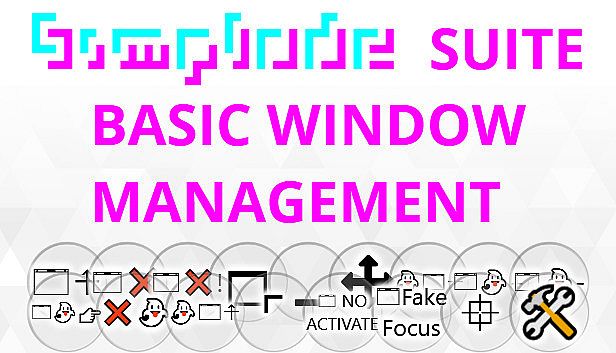
Contents: Always on Top Toggle (⍏), Close Window (❌), Super Close Window (❌!), Maximize (), Minimize (), Move Window (⇳⬄), Click Through Overlay (⍏), Increase Transparency (+), Decrease Transparency (-), Ghost Window (☞), Unghost All Windows (❌), Default Window Menu (⌜), Disable Focus ( NO ACTIVATE), Fake Focus (Fake Focus), Lock Window Minimum Size (⯐), Raw Window Details ()
Always on Top Toggle (⍏)
Toggles always on top mode for the active window.Close Window (❌)
Asks the active window to close normally.- If you recently switched windows, the first request is ignored as a safety precaution. The safety precaution turns off temporarily after activation, allowing you to go on a window closing spree if you want.
Super Close Window (❌!)
Attempts to forcibly terminate the foreground process (window).- Sometimes a program refuses to close and prevents usage of the task manager. For these times, there is Super Close.
- WARNING: May cause instability. However, when a program refuses to close, you might consider it already unstable, right?
- You should take care to remember the hotkey so you can use it when a program has you trapped.
- For unresponsive applications which cannot take foreground focus, you can use this feature through secondary targeting by holding left click on the Super Close Window button and then right clicking on the unresponsive window.
- If this does not work for some reason, consider trying the logout hotkey.
- If recently switched windows, the first attempt is ignored as a safety precaution. The safety precaution turns off temporarily after activation, allowing you to go on a window destroying spree if you want.
Maximize ()
Maximizes the window with its group.- You can also use the standard window maximize button.
Minimize ()
Minimizes the window's group.- You can also use the standard window minimize button. The [Shift]+[❖Windows]+[Down] hotkey is built into the operating system.
Move Window (⇳⬄)
Move the window.- Not compatible with either Multi Touch Window Resize or Mouse Right Button Chord Resize features. These features must be initiated using the window title bar dragging.
Click Through Overlay (⍏)
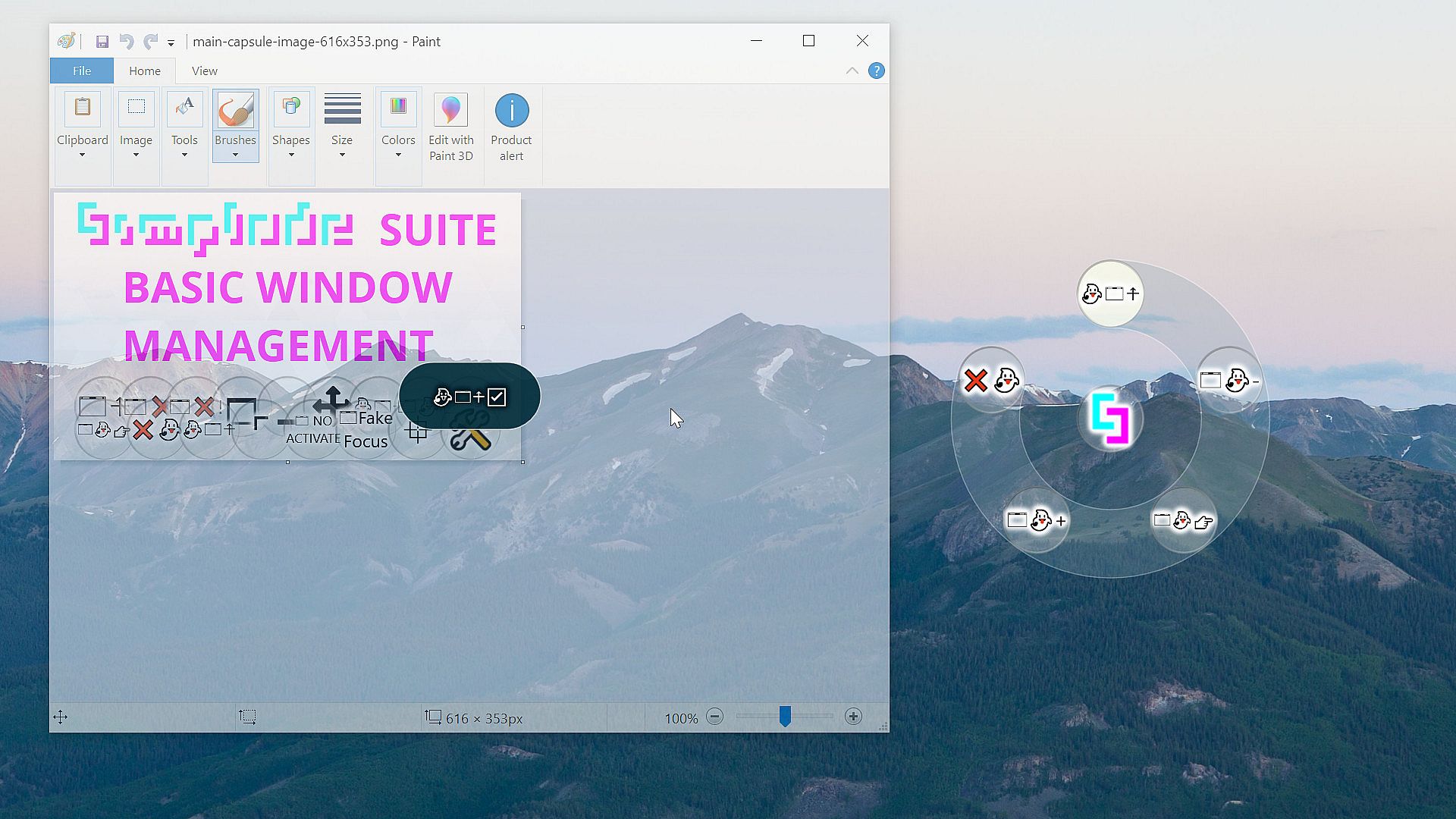
Converts a window into a click through overlay window.- Click through overlay windows are partially transparent, sit on top of other windows, and do not respond to mouse clicks.
- You can also achieve the same results using a combination of other Simplode Suite features, but this feature conveniently manages all aspects in one action.
- This feature has a sliding secondary action for controlling the amount of transparency of the window.
- Sliding secondary actions can be triggered in two ways. Secondary actions are available when you click and hold your primary mouse button on an action button. You can then move your mouse to your target and then also click and hold the secondary mouse button, where moving your mouse left, right, up and down will make adjustments based on the action. On multi-touch capable touch screens, you can trigger a sliding secondary action by holding one finger on the action button and then sliding another finger on your target.
- Click Through Overlay Default Opacity (Default: 0.6)
This option adjusts how transparent a click through overlay window will be. A value of 0 will be entirely invisible, and a value of 1 will be fully opaque.
Increase Transparency (+)
Makes the window more see-through.- Some windows cannot have their transparency externally adjusted because they manage their own transparency
- Glass Apps Transparency Adjustment Step Size (Default: 0.05)
This option adjusts the amount that transparency changes when you tell the tool to increase or decrease transparency once.
Decrease Transparency (-)
Makes the window less see-through.- Some windows cannot have their transparency externally adjusted because they manage their own transparency
- Glass Apps Min Opacity (Default: 0.05)
This option sets the minimum amount of opacity (the maximum amount of transparency) that the tool will set for any app. This prevents you from accidently making a window entirely invisible which can be tricky to restore. - Glass Apps Transparency Adjustment Step Size (Default: 0.05)
This option adjusts the amount that transparency changes when you tell the tool to increase or decrease transparency once.
Ghost Window (☞)
Toggles window click-through.- Click-through windows allow clicks and touches to pass through them.
- Toggling this off is a bit tricky. To make it easier you can use the Unghost All Windows (❌) feature. There are a couple ways you could do this for a specific window. Clicking the button will impact the active window, so you could activate the window first using the task ring or the task bar. Alternatively, click the button and hold the click as if you are dragging the button. While you keep the left mouse button pressed, you can right click on any window to perform the action on it. This works with most window targeted actions.
- Ghost Window Control Key Target Toggle (Default: True)
When enabled, holding the control key while performing a secondary action can select ghost windows. The ghost window action itself will be affected in reverse, as it can select ghost windows by default. For reference, a secondary action is performed by holding a click on an action button and then using the other mouse button to click on a window.
Unghost All Windows (❌)
Reset all ghost windows to default states.Default Window Menu (⌜)
Opens the default window corner menu.- Simply sends [Alt]+[Space], which is the standard hotkey for opening the classic corner menu.
Disable Focus ( NO ACTIVATE)
Disables focus for the target/active window.Fake Focus (Fake Focus)
Sends the window a fake focus message and attempts to bind the keyboard to it until you press escape.- You might need to get creative to find a use case for this. Some apps stop working when they lose focus, so you might want to use this to access another app while avoiding this.
- Internet browsers and some other complicated programs seem to be incompatible with this feature at this time.
Lock Window Minimum Size (⯐)
Locks in the current dimensions of the window as its minimum dimensions.- The minimum dimension lock is only effective in joined window groups where it prevents windows from getting squished during automatic adjustments.
Raw Window Details ()
View and edit raw details of the active window.- It is easy to break running programs by changing these settings. You probably don't really want to change these.